


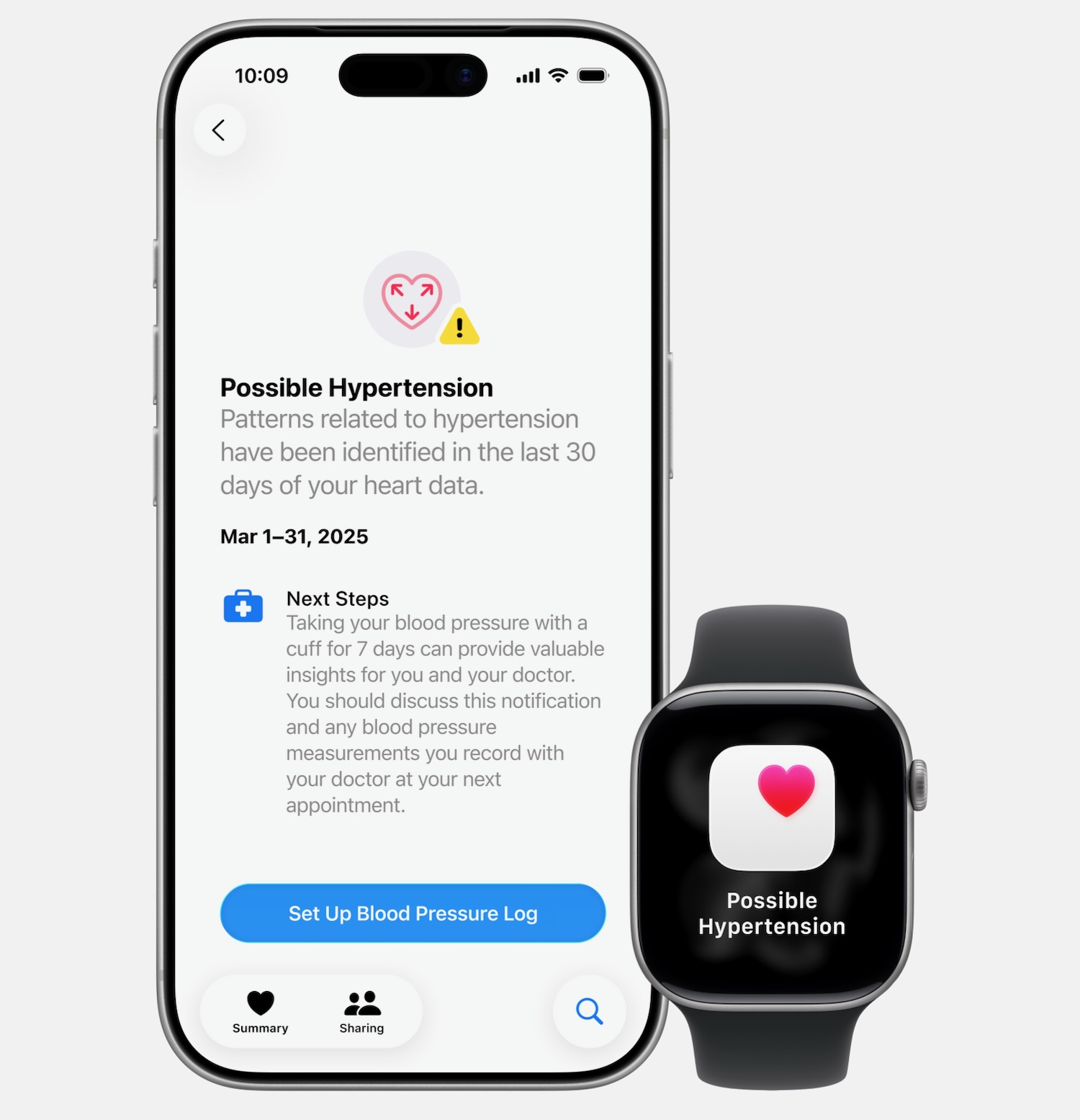
Apple has released another health feature for Apple Watch – hypertension notifications – which could indicate signs of chronic high blood pressure.
Hypertension notifications are available on Apple Watch Series 9 and later and Apple Watch Ultra 2 and later.
This builds on Apple’s already impressive suite of health features for Apple Watch.
Hypertension is a condition that impacts around 1.3 billion adults globally and is the leading risk factor for heart attack, stroke and kidney disease.
But unfortunately it goes frequently undiagnosed because it offers no symptoms and can be easily missed by anyone who does not visit their doctor regularly.
Apple Watch comes up with its hypertension notifications by using data from the optical heart sensor.
It analyses how a user’s blood vessels respond to their heartbeat.
This algorithm works in the background reviewing data over a 30 day. And will provide a notification if consistent signs of hypertension are detected.
So by simply wearing their Apple Watch they can receive valuable insights into their health and make behavioural changes that could potentially save their life or reduce the risk of serious long term health issues.
This feature was developed through advanced machine learning and rigorous studies that involved more than 100,000 participants.
The performance was then validated with more than 2000 participants in a clinical study.
Apple expects the feature to notify more than a million people in Australia about their undiagnosed hypertension within the first 12 months.
“Hypertension is the leading preventable cause of heart attack and stroke, yet millions remain undiagnosed,” said Harlan Krumholz, MD, SM, cardiologist and scientist at Yale University and Yale New Haven Hospital.
“Making accurate detection easy and part of daily life can help people get care earlier and prevent avoidable harm.”
So what happens if a user receives a hypertension notification?
Apple recommends the user log their blood pressure for seven days using a third party blood pressure cuff before sharing the results with their doctor.
What you need to receive hypertension notifications:
– An Apple Watch Series 9 or later or Apple Watch Ultra 2 or later, with the latest version of watchOS.
– An iPhone 11 or later with the latest version of iOS.
– Make sure Wrist Detection is turned on.
– You must be 22 years or older, not pregnant and have not been diagnosed with hypertension.
Turn on hypertension notifications
– On your iPhone, open the Health app.
– Tap your profile icon in the top corner.
– Under Features, tap Health Checklist.
– Tap Hypertension Notifications.
– Confirm your age and if you’ve ever been diagnosed with hypertension, then tap Continue.
– Tap Next to follow the onscreen prompts to find out how the notifications work.
– Tap Done.
