



Apple has unveiled new accessibility features which will be available later this year to allow anyone with a disability to still get the most out of their Apple products and stay in touch with the world around them.
These include Accessibility Nutrition Labels in the App Store, Magnifier app for Mac, Braille Access feature, an updated camera tool for Apple Vision Pro and Accessibility Reader.
There are also updates to existing features including Live Listen, Background Sounds, Personal Voice and Vehicle Motion Cues.
“At Apple, accessibility is part of our DNA,” said Tim Cook, Apple’s CEO.
“Making technology for everyone is a priority for all of us, and we’re proud of the innovations we’re sharing this year.
“That includes tools to help people access crucial information, explore the world around them and do what they love.”
Sarah Herrlinger, Apple’s senior director of Global Accessibility Policy and Initiatives “Building on 40 years of accessibility innovation at Apple, we are dedicated to pushing forward with new accessibility features for all of our products,” said. “Powered by the Apple ecosystem, these features work seamlessly together to bring users new ways to engage with the things they care about most.”
ACCESSIBILITY NUTRITION LABELS
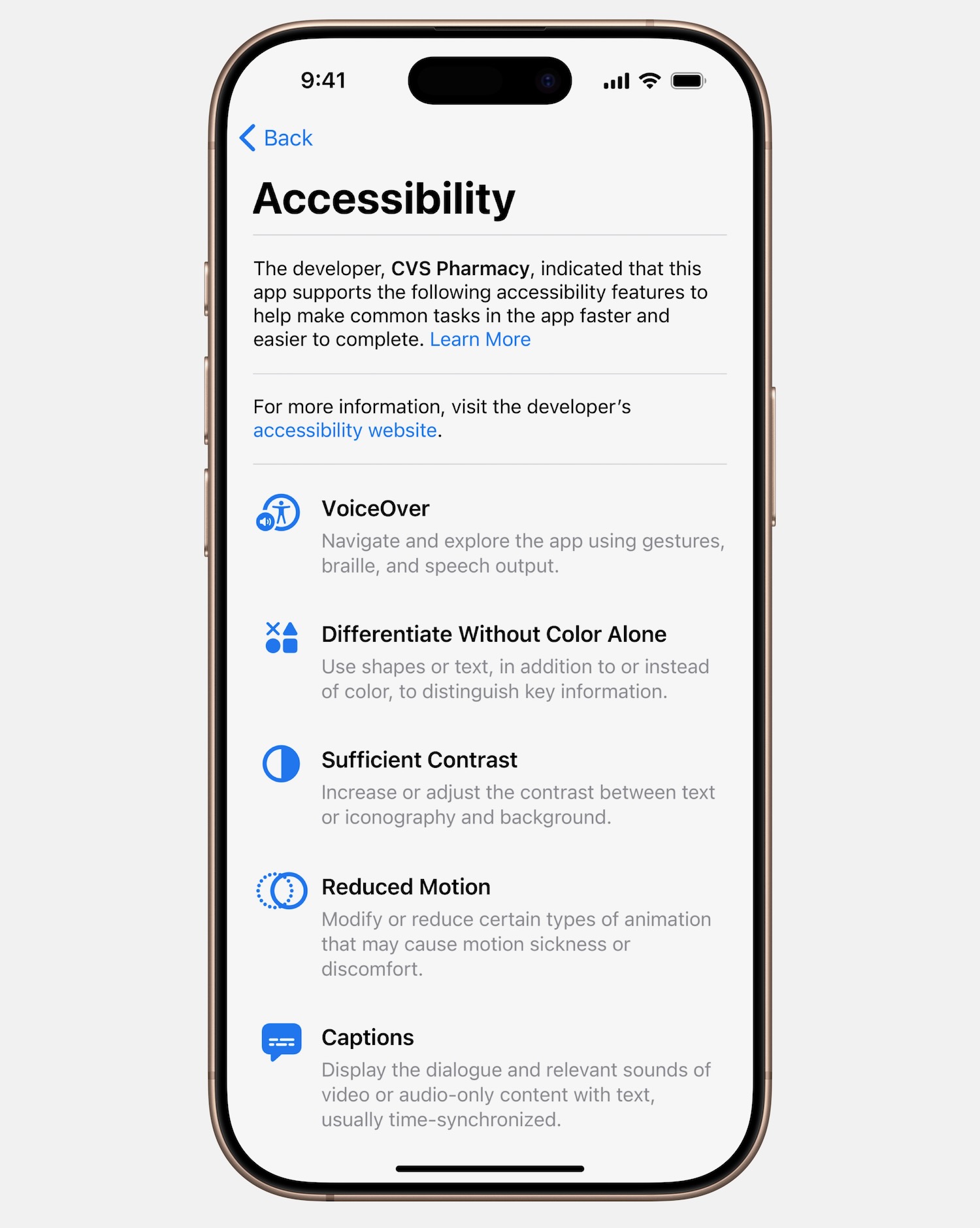
Apple is introducing a new section to the App Store product pages which will point out accessibility features within apps and games.
These are designed to give potential users a way to see if the app will work for them before they download it.
It also gives developers the opportunity to better inform and educate uses on the features that their apps support.
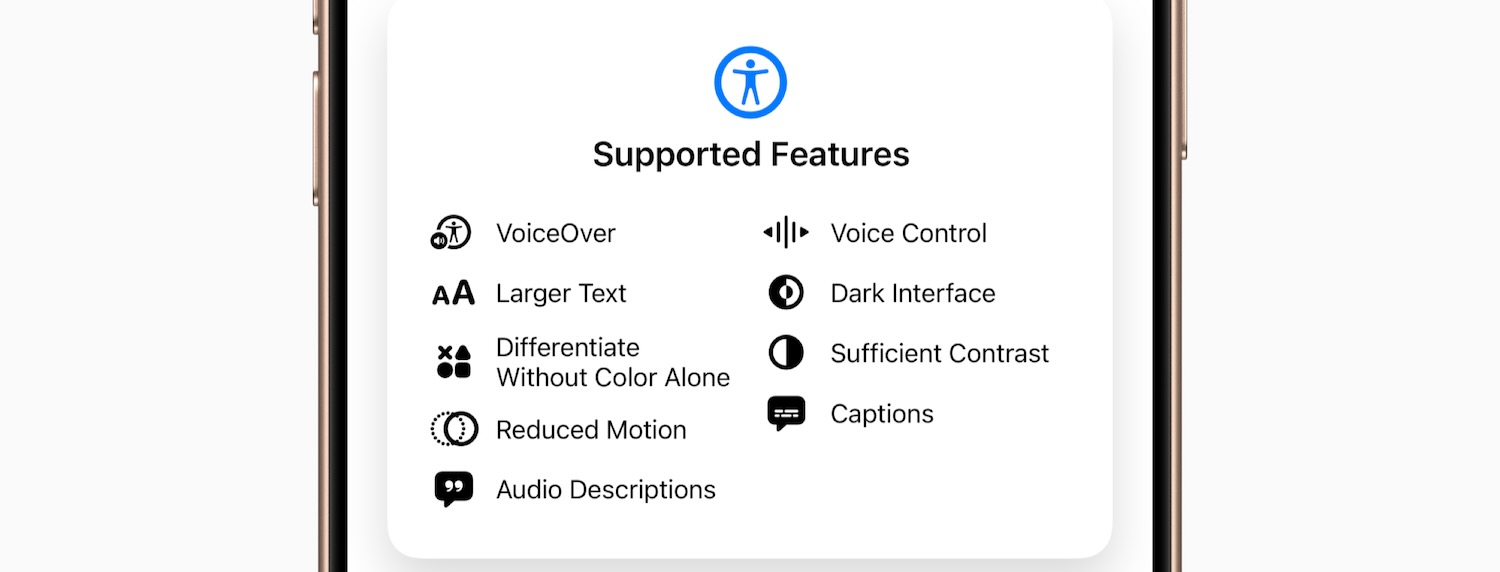
These labels would include things like VoiceOver, Voice Control, Larger Text, Sufficient Contrast, Reduced Motion, Captions and more.
“Accessibility Nutrition Labels are a huge step forward for accessibility,” said Eric Bridges, the American Foundation for the Blind president and CEO.
“Consumers deserve to know if a product or service will be accessible to them from the very start, and Apple has a long-standing history of delivering tools and technologies that allow developers to build experiences for everyone.
“These labels will give people with disabilities a new way to easily make more informed decisions and make purchases with a new level of confidence.”
MAGNIFIER FOR MAC
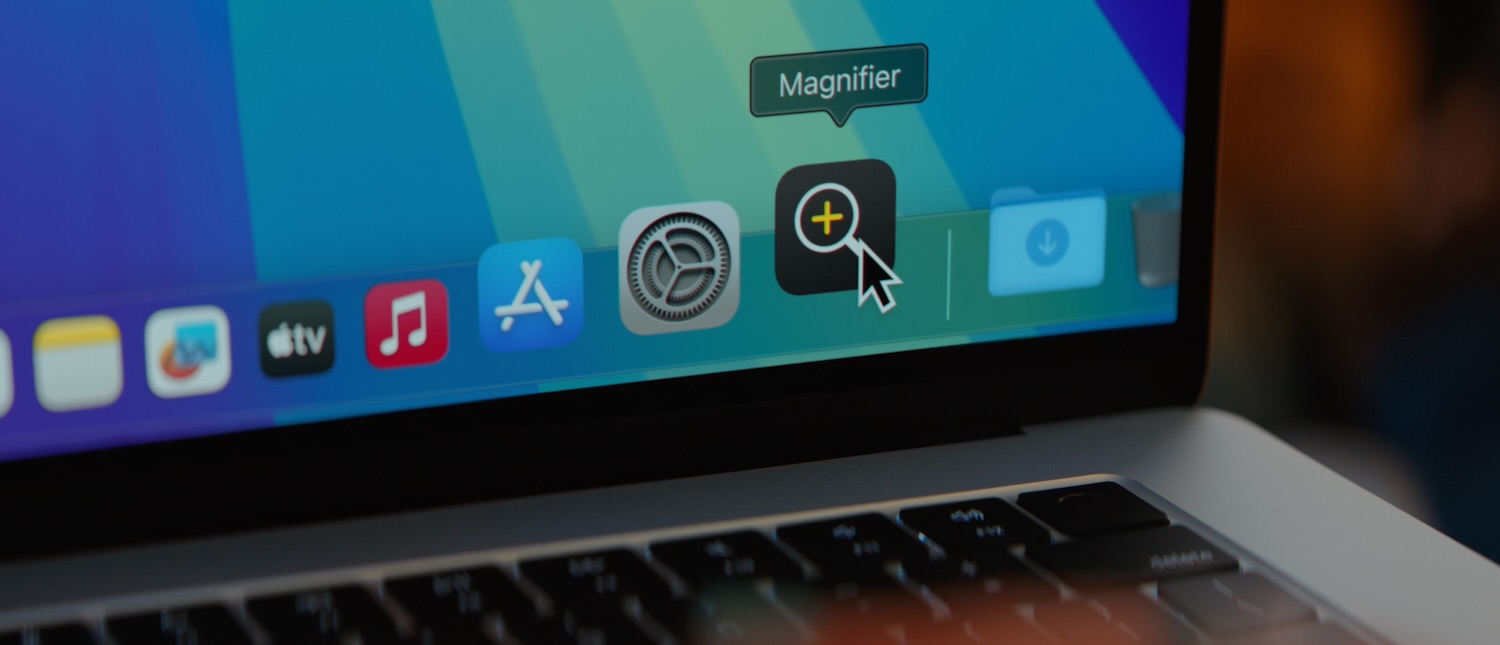
The Magnifier on iPhone and iPad has been one of the most popular features for people with low vision which allows them to zoom in, read text and detect objects around them.
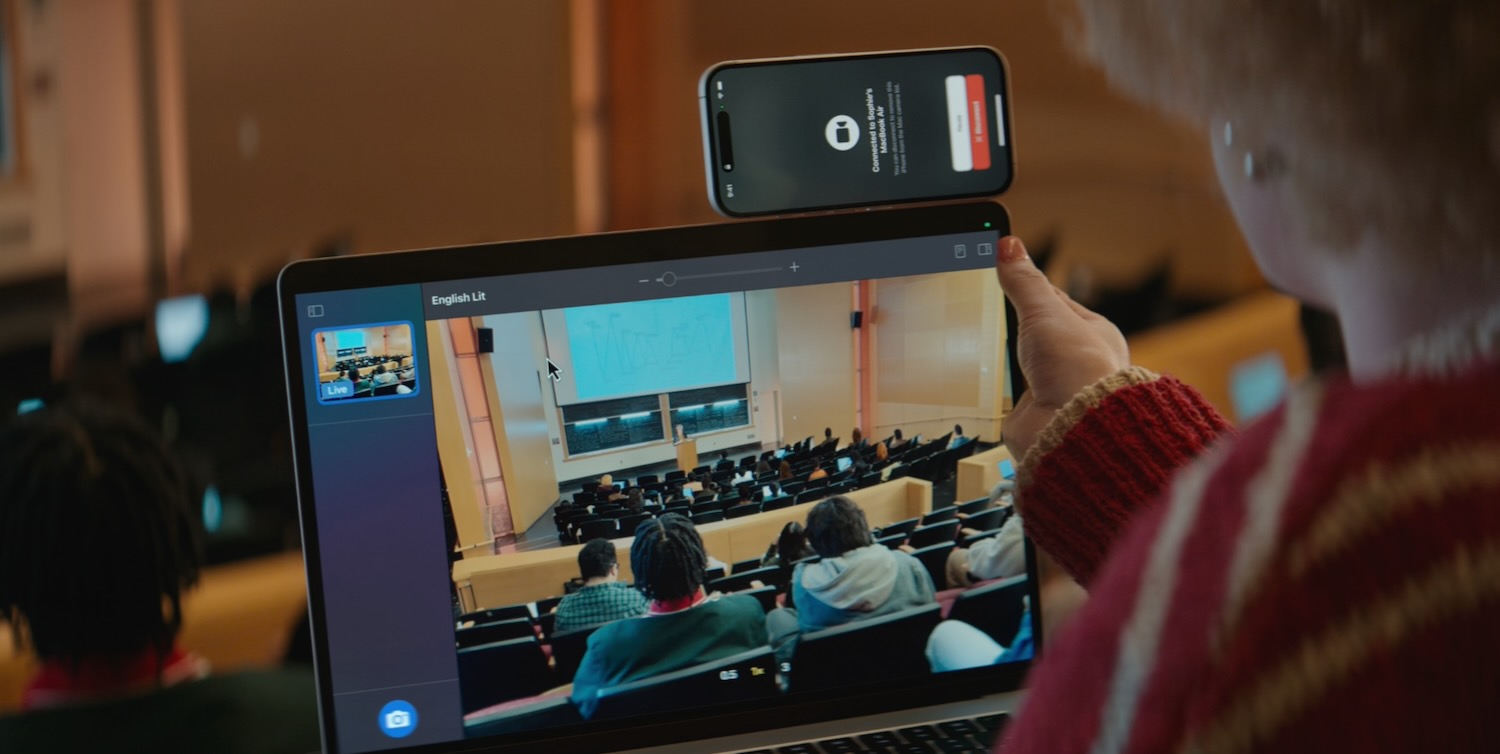
Now the Magnifier feature is coming to the Mac to give people with low vision even greater access to the physical world around you.
The magnifier app for Mac works with Continuity Camera on iPhone and other attached USB cameras.
Magnifier for Mac is also integrated with another new feature called Accessibility Reader which can transform text seen in the physical world into a legible customised format.
BRAILLE EXPERIENCE
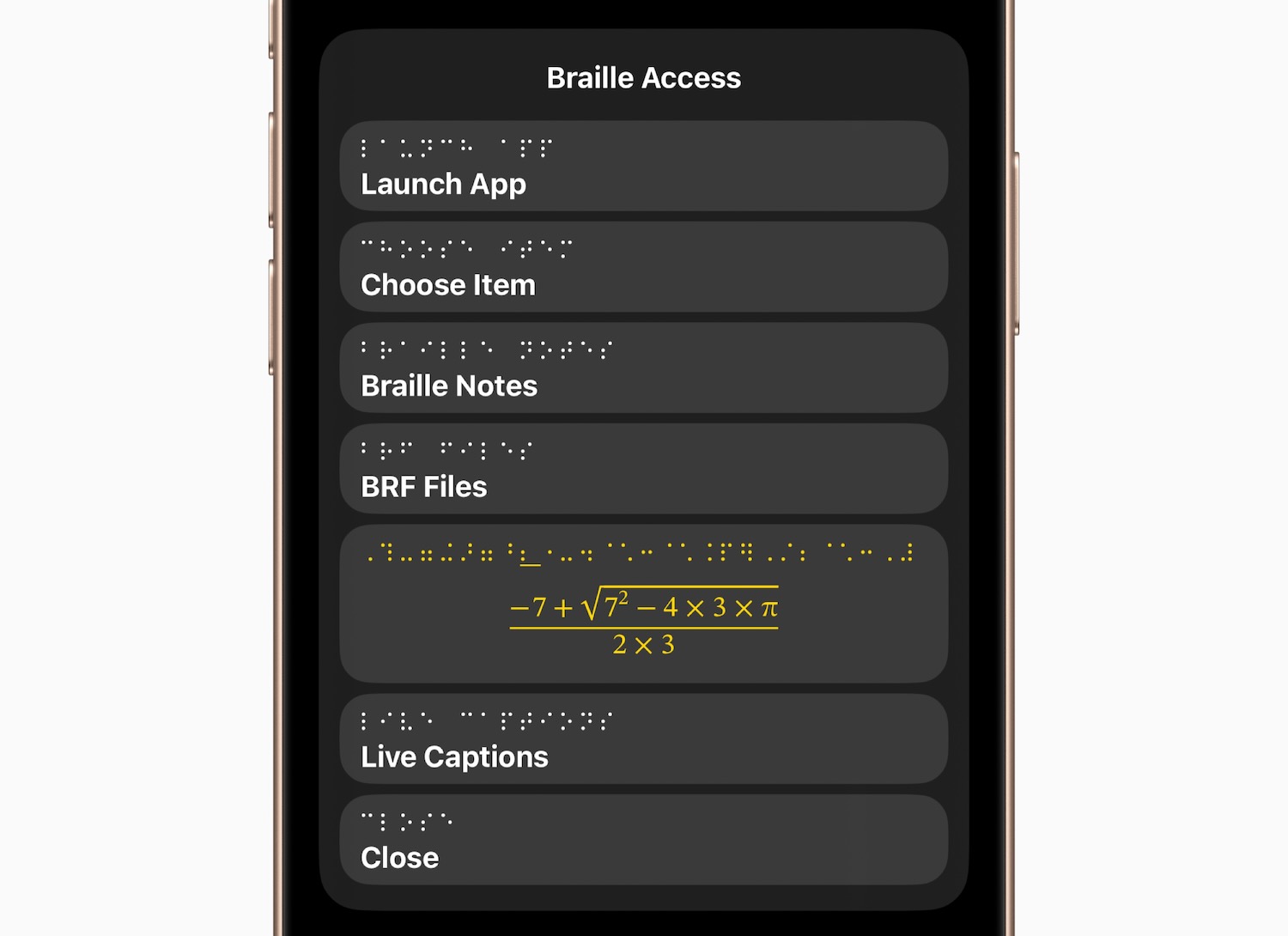
Braille Experience is a brand new feature for iPhone, iPad, Mac and Apple Vision Pro that turns them into a Braille note taker that’s integrated into the Apple ecosystem.
It has a built-in app launcher so you can easily open any app by typing with Braille screen input or a connected Braille device.
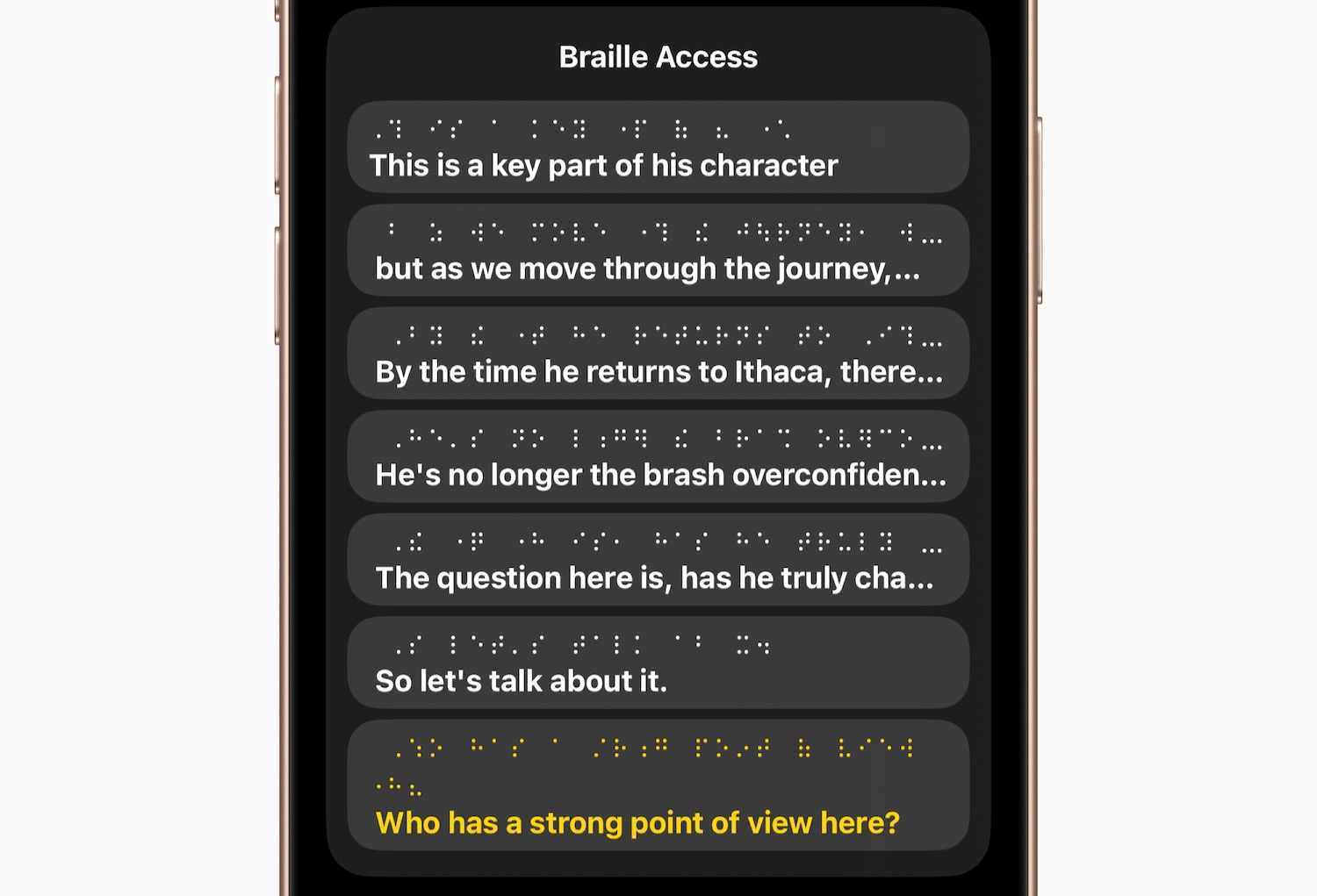
Braille Access allows users to take notes in Braille format as well as perform calculations using Nemeth Braille which is a code often used in classrooms for maths and science.
The feature also opens up Braille Ready Format (BRF) files directly from Braille Access so you can read a wide range of books and files that were created on third party note taking devices.
ACCESSIBILITY READER
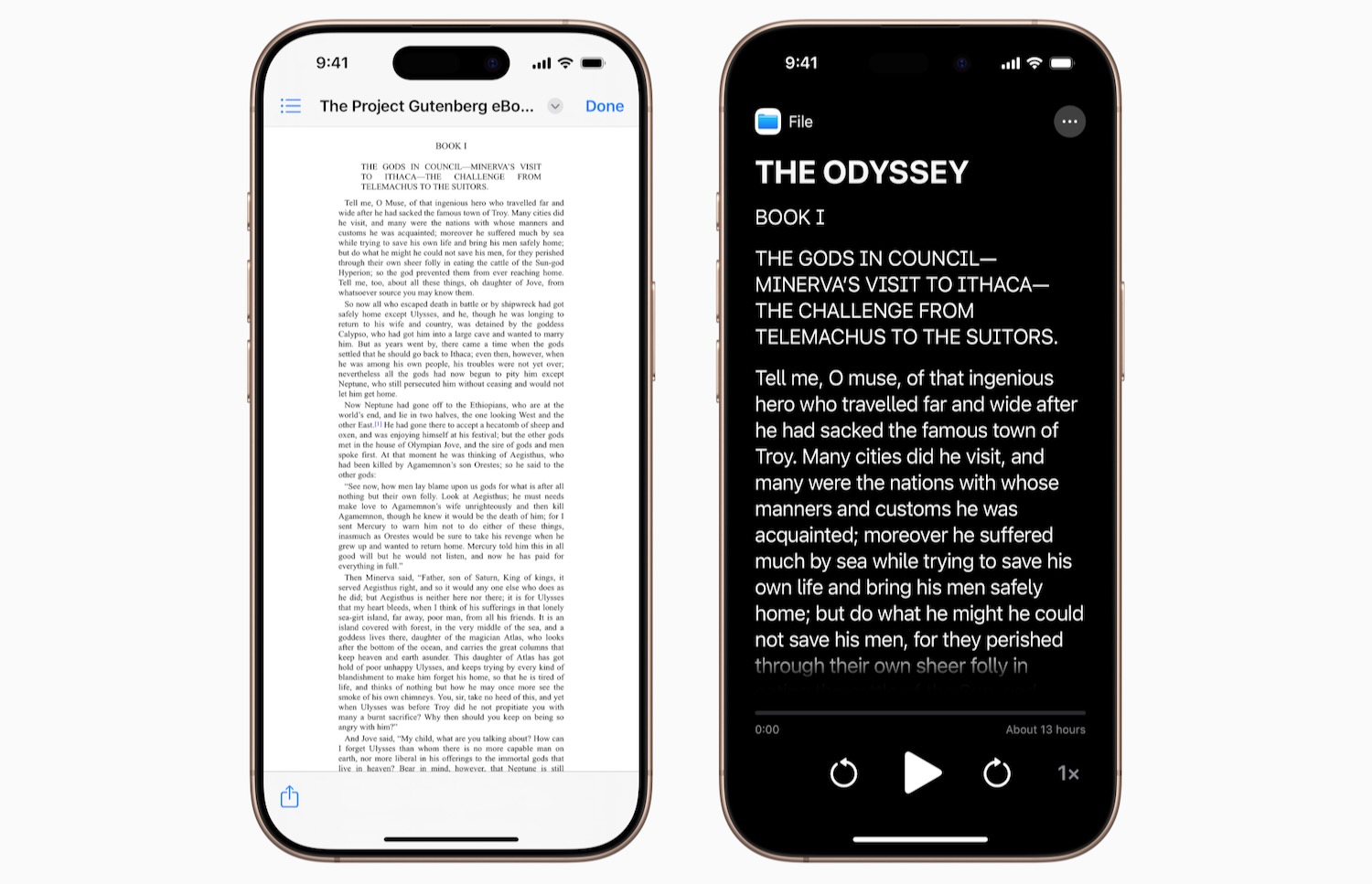
Accessibility Reader is new systemwide feature designed to make it easier for users with a range of disabilities including dyslexia or low vision to read text.
It will be available on iPhone, iPad, Mac and Apple Vision Pro and will allow users to customise text and focus on the content they want to read.
There are also numerous options for font, colour and spacing along with support for Spoken Content.
Accessibility Reader can be launched from any app and is also built into the Magnifier app for iOS, iPadOS and macOS so users are able to interact with text around them including books and menus.
LIVE CAPTIONS FOR APPLE WATCH
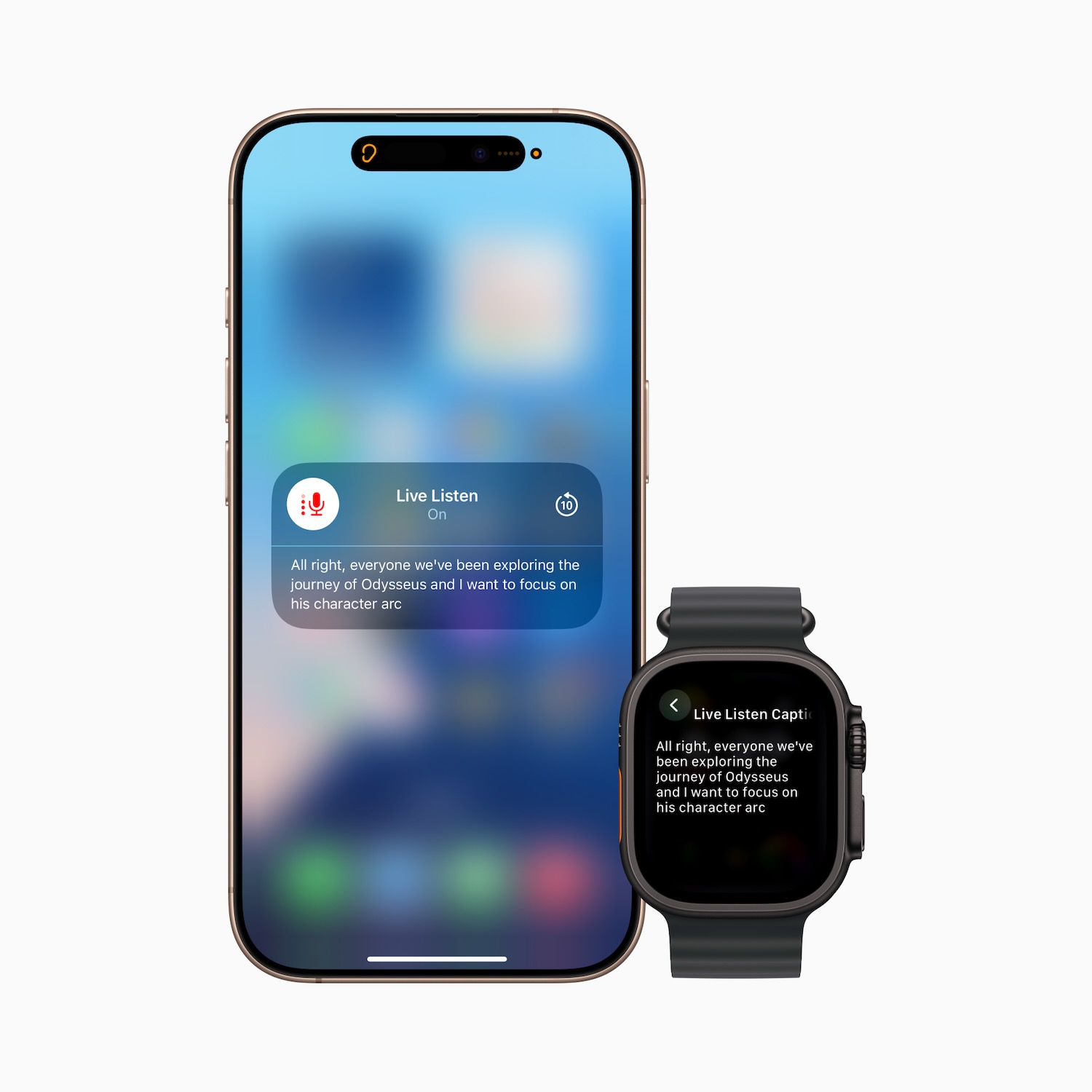
Live Listen controls have now come to Apple Watch with new features for users who are deaf or hard of hearing, including real time Live Captions.
With Live Listen, users can turn their iPhone into a remote microphone to stream content directly to AirPods, made for iPhone hearing aids or Beats headphones.
Now users can view Live Captions of what their iPhone is hearing on their Apple Watch while also listening to the audio.
Apple Watch can also be used as a remote control to start or stop Live Listen sessions and even go back to capture something they might have missed.
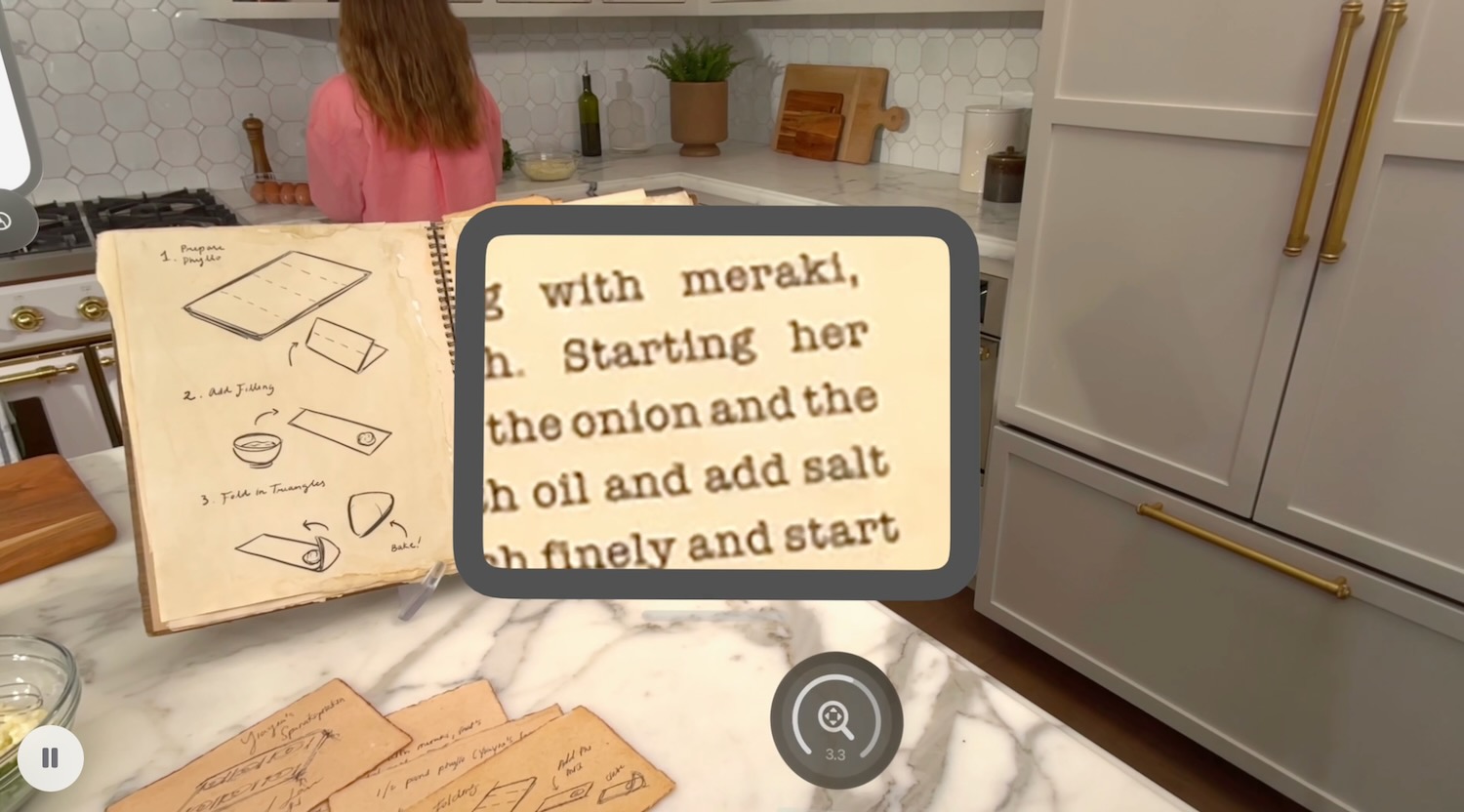
ENHANCED VIEW WITH APPLE VISION PRO
Blind or low vision users will be able to access vision excess ability features through Apple’s Vision Pro.
Using the device’s cameras, users can magnify everything in view including their surroundings through the main camera.
With Live Recognition, Apple Vision Pro uses on-device machine learning to describe surroundings, find objects and read documents.
Additional Updates
– Background Sounds becomes easier to personalise with new EQ settings, the option to stop automatically after a period, and new actions for automations in Shortcuts. Background Sounds can help minimise distractions to increase a sense of focus and relaxation, which some users find can help with symptoms of tinnitus.
– For users at risk of losing their ability to speak, Personal Voice becomes faster, easier and more powerful than ever, leveraging advances in on-device machine learning and artificial intelligence to create a smoother, more natural-sounding voice in less than a minute, using only 10 recorded phrases. Personal Voice will also add support for Spanish (Mexico).
– Vehicle Motion Cues, which can help reduce motion sickness when riding in a moving vehicle, comes to Mac, along with new ways to customise the animated onscreen dots on iPhone, iPad and Mac.
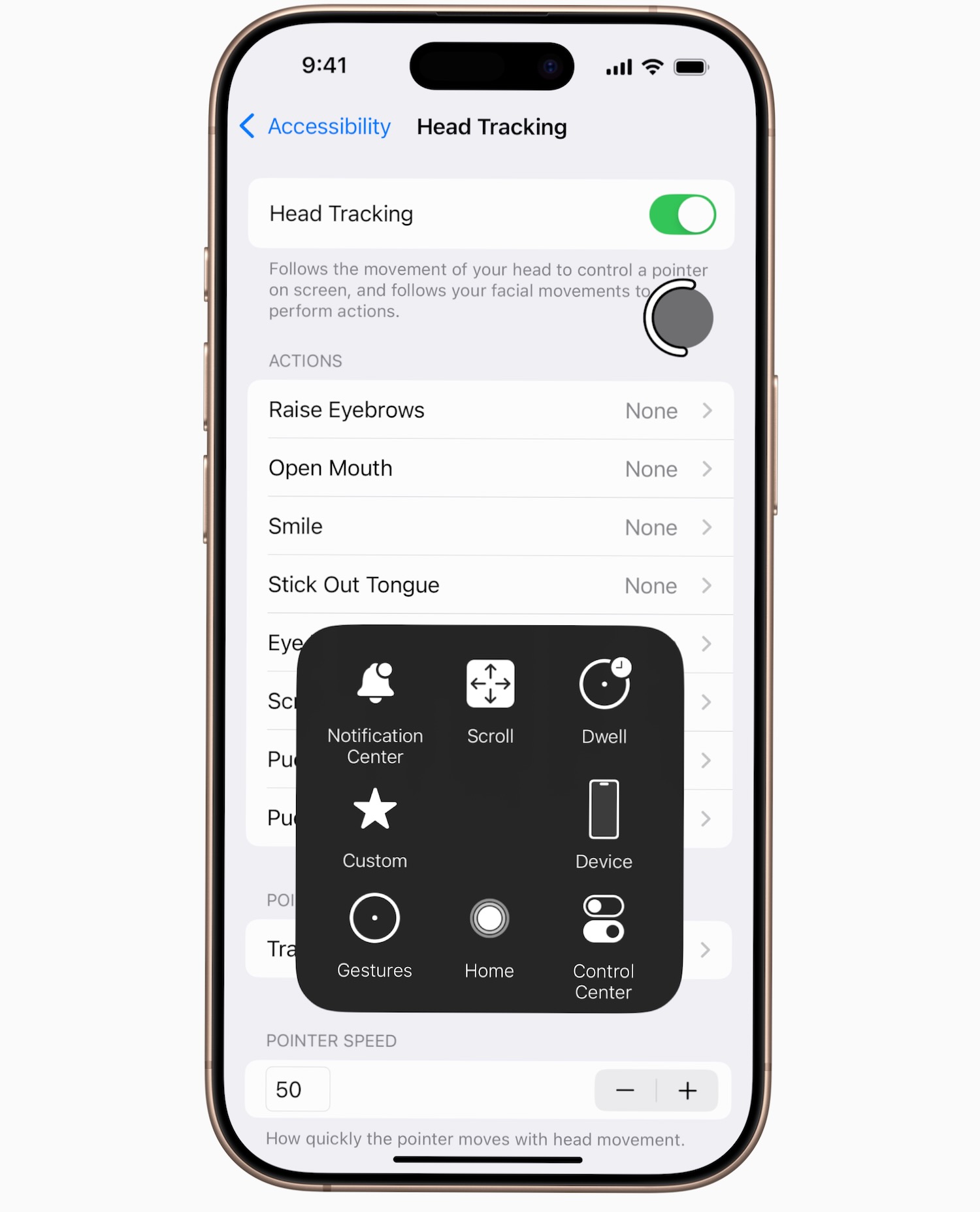
– Eye Tracking users on iPhone and iPad will now have the option to use a switch or dwell to make selections. Keyboard typing when using Eye Tracking or Switch Control is now easier on iPhone, iPad and Apple Vision Pro with improvements including a new keyboard dwell timer, reduced steps when typing with switches, and enabling QuickPath for iPhone and Vision Pro.
– With Head Tracking, users will be able to more easily control iPhone and iPad with head movements, similar to Eye Tracking.
– For users with severe mobility disabilities, iOS, iPadOS and visionOS will add a new protocol to support Switch Control for Brain Computer Interfaces (BCIs), an emerging technology that allows users to control their device without physical movement.
– Assistive Access adds a new customised Apple TV app with a simplified media player. Developers will also get support in creating tailored experiences for users with intellectual and developmental disabilities using the Assistive Access API.
– Music Haptics on iPhone becomes more customisable with the option to experience haptics for a whole song or for vocals only, as well as the option to adjust the overall intensity of taps, textures and vibrations.
– Sound Recognition adds Name Recognition, a new way for users who are deaf or hard of hearing to know when their name is being called.
– Voice Control introduces a new programming mode in Xcode for software developers with limited mobility. Voice Control also adds vocabulary syncing across devices, and will expand language support to include Korean, Arabic (Saudi Arabia), Turkish, Italian, Spanish (Latin America), Mandarin Chinese (Taiwan), English (Singapore) and Russian.
– Live Captions adds support to include English (India, Australia, UK, Singapore), Mandarin Chinese (Mainland China), Cantonese (Mainland China, Hong Kong), Spanish (Latin America, Spain), French (France, Canada), Japanese, German (Germany) and Korean.
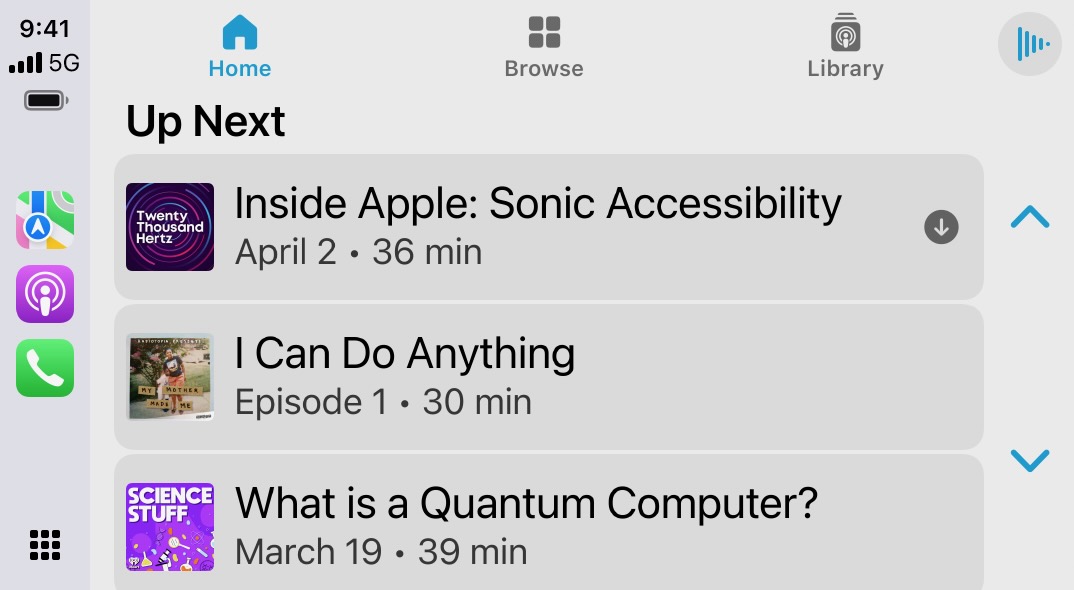
– Updates to CarPlay include support for Large Text. With updates to Sound Recognition in CarPlay, drivers or passengers who are deaf or hard of hearing can now be notified of the sound of a crying baby, in addition to sounds outside the car such as horns and sirens.
– Share Accessibility Settings is a new way for users to quickly and temporarily share their accessibility settings with another iPhone or iPad. This is great for borrowing a friend’s device or using a public kiosk in a setting like a cafe.
