




Moving an office is never a matter of shifting furniture to other places. At the back of each desk, monitor, and filing cabinet is a whole web of cables, servers, cloud credentials, and communication systems that keep your business alive. Even a single physical move can take hours, and occasionally days.
If you make a mistake on the tech side, you risk facing more serious issues, such as lost data, malfunctioning workflows, and an inadequate team that will be unable to perform.
It does not matter whether you are a small start-up company or a medium-sized company; in the contemporary globalized world, being tech-conscious is a must in office relocation.
Plan Your IT Infrastructure Before Moving Day
When businesses move to a new office, the greatest thing to do is to take IT as a secondary issue. All your internet connections, phone lines, your server room, and your cloud systems should all be mapped out before not even a single box is packed.
Begin by auditing your current setup. Record all hardware devices, routers, switches, network-attached storage, desktop computers, and peripheral devices. Record physical and virtual systems on-premises and in the cloud. This checklist will be your relocation bible.
Then, give notice to your internet service provider at least 4-6 weeks in advance. It does not take half a minute to activate broadband at a new address, and in a room where your new office lacks the infrastructure you require, you will require lead time to install your infrastructure. Cisco’s business continuity guidelines recommend validating network readiness at the destination site early to prevent service gaps on day one.
If you’re planning an office relocation in Wollongong, coordinating your IT setup timeline with your moving schedule early on can significantly reduce downtime and keep operations running smoothly.
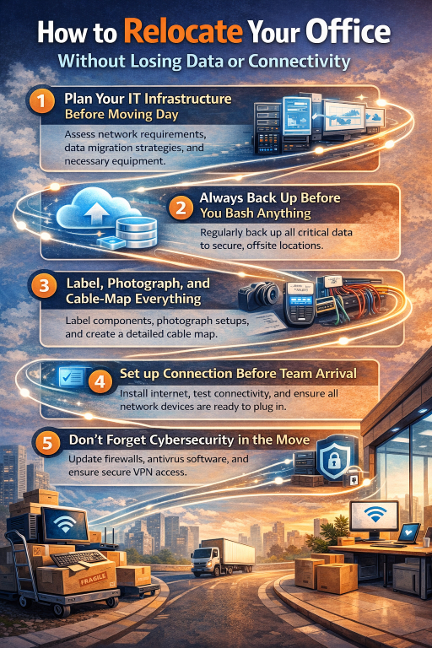
Always Back Up Before You Bash Anything
There is no need to explain this, though this is passed over more frequently than you might guess. A complete backup of all important information should be performed before getting any equipment disconnected. This means:
- Local copying into an external hard drive or NAS device.
- Backups to the cloud include Google Workspace, Microsoft 365 or your cloud storage of choice.
- Backup of router and firewall configurations, as well as backup of servers that are located on-premises.
Record your network configuration values, IP address, DNS values, VPN values, and any firewall-specific rules. These are only seconds to write down and hours to recreate in mind should they be lost.
In the case of businesses with on-premises servers, they should consider temporarily moving workloads to the cloud during the migration. IBM’s data protection framework recommends keeping at least two independent backup copies before any major infrastructure change. This standard applies equally to an office move and a system upgrade.
Label, Photograph, and Cable-Map Everything
One of the least obvious productivity killers is a mess of cables in a new office. Photograph each server rack, each cable run, and each workstation connection before unplugging anything. Mark with colored cable ties and labeling tape what goes where.
Prepare a crude cable map (even a sketch is sufficient) that documents the connection of devices among each other and with the network. This saves time on troubleshooting when you are configuring it on the other end.
Label all the equipment with a numbered label that matches one of the records in your spreadsheet inventory. This is particularly crucial in the case of high-end equipment that demands specialist removalists in Wollongong or whichever point of destination you are directing crews to who know how to operate tech hardware with care, as opposed to handling a server like a cardboard box.
Set up Connection Before Team Arrival
The objective is quite basic: come opening day of the new office, the Wi-Fi must be operational, the phones must be working, and the email must be flowing. To make this work, schedule a tech day 1-2 days prior to the actual move-in. Invite your IT manager or outsourced IT vendor to the new site to:
- Test the internet connection, live and healthy.
- Install the router and network switches.
- Install access points to Wi-Fi throughout the floor.
- Remote worker VPN access testing.
- Check that phone systems (VoIP or old-fashioned) are in place.
Don’t Forget Cybersecurity in the Move
Moving offices presents strange vulnerabilities. Devices are passed on, used hard drives are forgotten, and network settings are hurried. Then, prior to shutting the door of your old office:
- Clean any equipment under decommissioning.
- Change passwords on the common accounts and Wi-Fi networks.
- Audit access to cloud systems and delete old credentials.
In the new office, a network setup is a new installation. Do not use old, poor passwords and old security settings; it is a clean start.
Final Thought
An office relocation is considered successful when your clients are oblivious that you have changed offices. That is all possible with the proper IT preparation. You must plan in advance, copy, and coordinate your physical and digital move in a single operation, not two parallel moves that are operating simultaneously.
