

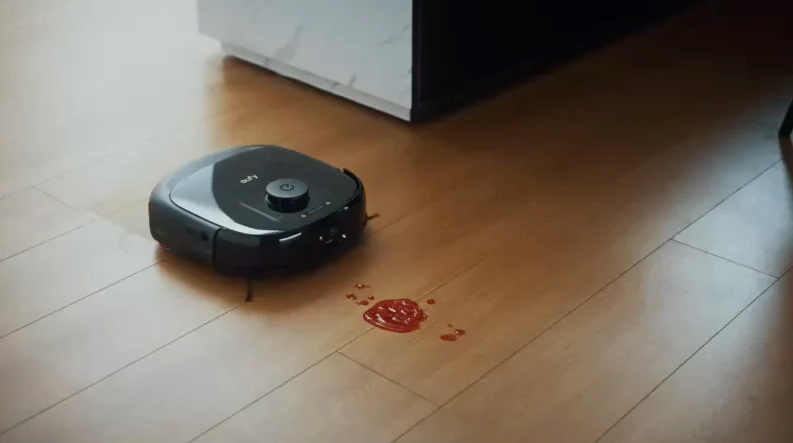


There is a particular kind of frustration that comes from vacuuming a floor and watching it look dirty again within hours — pet hair drifting back across hardwood, crumbs reappearing under the kitchen table, dust settling on a rug you just cleaned.
The traditional vacuum demands your time, your effort, and your presence, and it only makes a difference for a short window before entropy reasserts itself. A robot vacuum works on a fundamentally different logic: it cleans frequently and automatically, so floors stay in good condition between the deeper cleans rather than steadily deteriorating until cleaning becomes an unavoidable chore.
The technology behind these devices has matured substantially. Early robot vacuums bumped into furniture, got stuck on rugs, and missed half the floor. Modern units use lidar or camera-based mapping to build a precise floor plan, navigate methodically, and avoid obstacles with impressive accuracy. Self-emptying dock stations mean some users go weeks without directly touching the robot or its dust bin. If you’ve been on the fence about whether a robot vacuum is worth the investment, this guide breaks down how they work, what to prioritise when buying, and how to get the most out of one in a real home.

How Modern Robot Vacuums Actually Navigate
Navigation technology is where the gap between budget and mid-to-premium robot vacuums is most pronounced. Entry-level models use random-bounce navigation: the robot moves in a straight line until it hits something, then turns at an angle and continues. This approach eventually covers most of the floor, but it’s inefficient, takes longer, and leaves gaps — especially in corners and along edges. It also means the robot can’t build a map of your home, so it can’t be directed to clean a specific room or avoid a specific area.
Lidar-based navigation uses a spinning laser sensor on top of the robot to measure the distance to surrounding objects several hundred times per second. This data is used to build a real-time map of the space, allowing the robot to plot an efficient, systematic cleaning path rather than wandering. The resulting maps are saved to the app, where you can label rooms, set virtual boundaries, and schedule specific zones for cleaning at different times. Camera-based navigation works similarly but uses visual landmarks instead of laser ranging — it’s generally less reliable in low-light environments but allows the front-facing camera to also function as an obstacle detection system.
Obstacle Avoidance and Its Real-World Limits
Obstacle avoidance is one of the most actively marketed features in this category, and the quality varies significantly. Basic obstacle detection stops the robot before it collides with a chair leg or a shoe; advanced systems using structured-light 3D sensors or stereo cameras can identify smaller objects like cables, socks, or pet waste and route around them rather than getting tangled. If you have pets or children who regularly leave objects on the floor, investing in a model with robust obstacle avoidance saves a lot of retrieval frustration.
No robot vacuum handles every obstacle perfectly. Thick rugs with long pile can trip sensors. Dark-coloured mats absorb the infrared used by cliff sensors and may trigger a false floor-edge alarm. Cables left on the floor remain a common problem even on high-end models. The practical solution is a brief preparation routine before each scheduled run: pick up cables, tuck away soft toys, and clear anything fragile from floor level. This takes two minutes and dramatically improves the quality of each clean.
What to Look for When Buying a Robot Vacuum
Suction power, measured in Pascals, determines how effectively a robot picks up debris from different surface types. Hard floors don’t require enormous suction, but thick carpet — particularly high-pile or shaggy rugs — demands significantly more power to pull dirt from deep in the fibres. Most manufacturers offer adjustable suction modes; a lower setting preserves battery life on hard floors while a boost mode engages on carpet automatically when the sensor detects a change in surface texture.

Battery life and charging time determine how large an area a robot can clean in a single session. Most mid-range models handle between one hundred and two hundred square metres on a full charge, which is sufficient for most Australian homes. Larger homes, or homes with multiple levels, may need a model that supports auto-resume — the robot returns to its dock to recharge mid-clean and then picks up exactly where it stopped, rather than starting from scratch. This feature was once premium; it’s now fairly common across a wide price range.
Self-Emptying Stations: Are They Worth It?
A self-emptying dock station is the single upgrade that most meaningfully reduces the robot vacuum’s maintenance burden. Instead of opening a small dust bin after every few runs, the dock automatically suctions the contents into a sealed bag that holds several weeks’ worth of debris. For households with pets that shed heavily, or for anyone who finds the emptying process unpleasant, this feature transforms the robot from a semi-automated device into something that genuinely runs itself. The bags are consumable — typically replaced every thirty to sixty days — but the cost is modest compared to the convenience gained.
Some dock stations combine vacuuming with mopping in a single unit and include automatic mop washing and drying. These all-in-one stations represent the current high end of the category and handle a broad range of floor maintenance tasks without intervention. Whether that level of automation justifies the higher cost depends on how much floor you need to clean and how much you value completely hands-off operation. For a home with mostly hard flooring, a combined vacuum-and-mop setup from a brand like eufy can genuinely replace the need for manual mopping in normal maintenance cycles.

Setting Up Schedules and Zones for Best Results
A robot vacuum delivers the most value when it runs on a regular, automated schedule rather than only when you remember to start it. Most apps allow you to set different cleaning schedules for different days and even different rooms — a daily pass through the kitchen and entry hall, a less frequent full-house run on weekends. Once this routine is established, floors maintain a baseline cleanliness that eliminates the need for emergency cleaning sessions before guests arrive.
Room labelling and zone cleaning add another layer of control. If the kitchen has had a busy cooking session, you can send the robot to clean just that room immediately without waiting for the next scheduled run. Restricted zones — virtual walls drawn in the app — keep the robot away from pet bowls, children’s play areas, or rooms with fragile objects on the floor. Mop-free zones prevent the wet mop pad from crossing onto carpet. These controls make the robot vacuum genuinely adaptable to the way your household actually uses space, rather than forcing a one-size-fits-all cleaning pattern.

Maintenance That Keeps Performance Consistent
Robot vacuums require regular maintenance to perform well over time. The most important task is cleaning the brush rolls, which accumulate hair and fibres that wrap tightly around the mechanism and reduce suction if left unattended. Most manufacturers recommend checking brush rolls weekly and clearing them thoroughly every two to four weeks depending on use. Some models use rubber extractors instead of bristle brush rolls, which tangle significantly less and are easier to maintain — a genuine advantage in homes with long-haired pets or people.
Filters need periodic cleaning or replacement. A clogged filter forces the motor to work harder and reduces the air pressure that drives suction. Most filters can be tapped clean over a bin and rinsed occasionally, though they should be fully dry before reinsertion to avoid mould. Replacement filter packs are inexpensive and should be swapped every few months in heavy-use households. Sensors — particularly the cliff sensors on the underside and the lidar or camera on top — should be wiped gently with a dry cloth every week or two to prevent dust accumulation from affecting navigation accuracy.

Cleaner Floors, Less Time Spent Cleaning
A robot vacuum earns its place in a home not by replacing every cleaning task but by handling the high-frequency maintenance that keeps floors from becoming an ongoing source of frustration. The right model — chosen for your floor types, home size, and willingness to do minimal upkeep — runs quietly in the background, frees up genuine time, and delivers a level of floor cleanliness that manual vacuuming on a weekly schedule simply cannot match. Start by identifying the features that matter most for your specific home, compare how different navigation technologies perform in homes similar to yours, and choose a model you’ll actually trust to run on a schedule. That trust is what turns a robot vacuum from a novelty into a household essential.
