



- RATING
The new Home View offers a stylish new way to enjoy the content and connections of your Apple ecosystem but the personal context provided by Siri AI and Apple Intelligence is what sets the product apart from other smart speakers makes it a genuine assistant.
The Apple ecosystem just got bigger with the introduction of the new HomeView smart display to stay connected, entertained, in control and informed in your space.
The unit is also your link to Siri AI and Apple Intelligence so it can understand your personal context, take action across your apps and get more done.
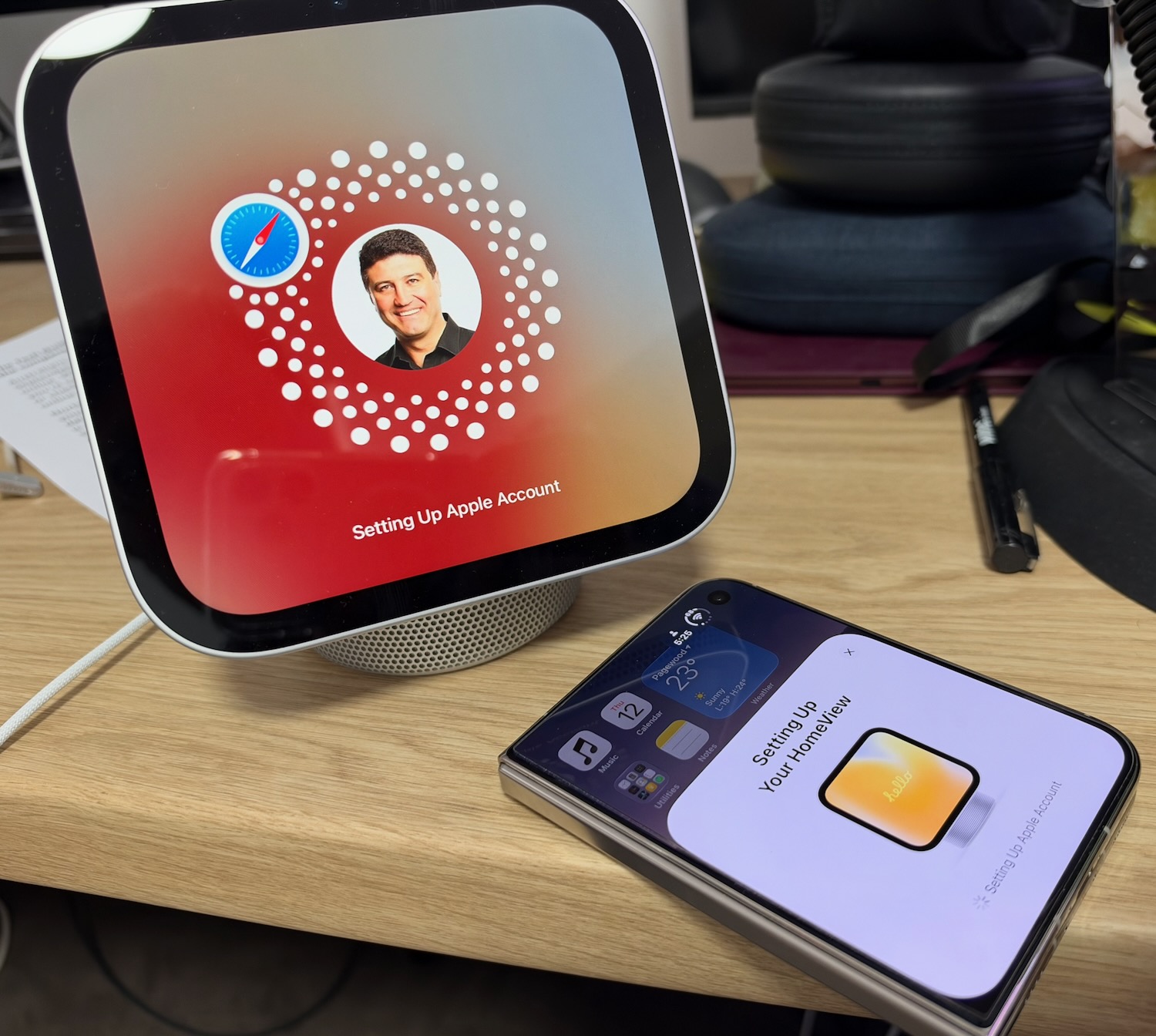
Naturally you’ll need an iPhone or an iPad on the same network as HomeView so it has the same access to your apps, emails, messages and all your other personal information.
https://youtu.be/djv_nbxupNk
Don’t worry, it’s as private and secure as your iPhone and has the same protections to keep everyone’s personal content separate and secure.
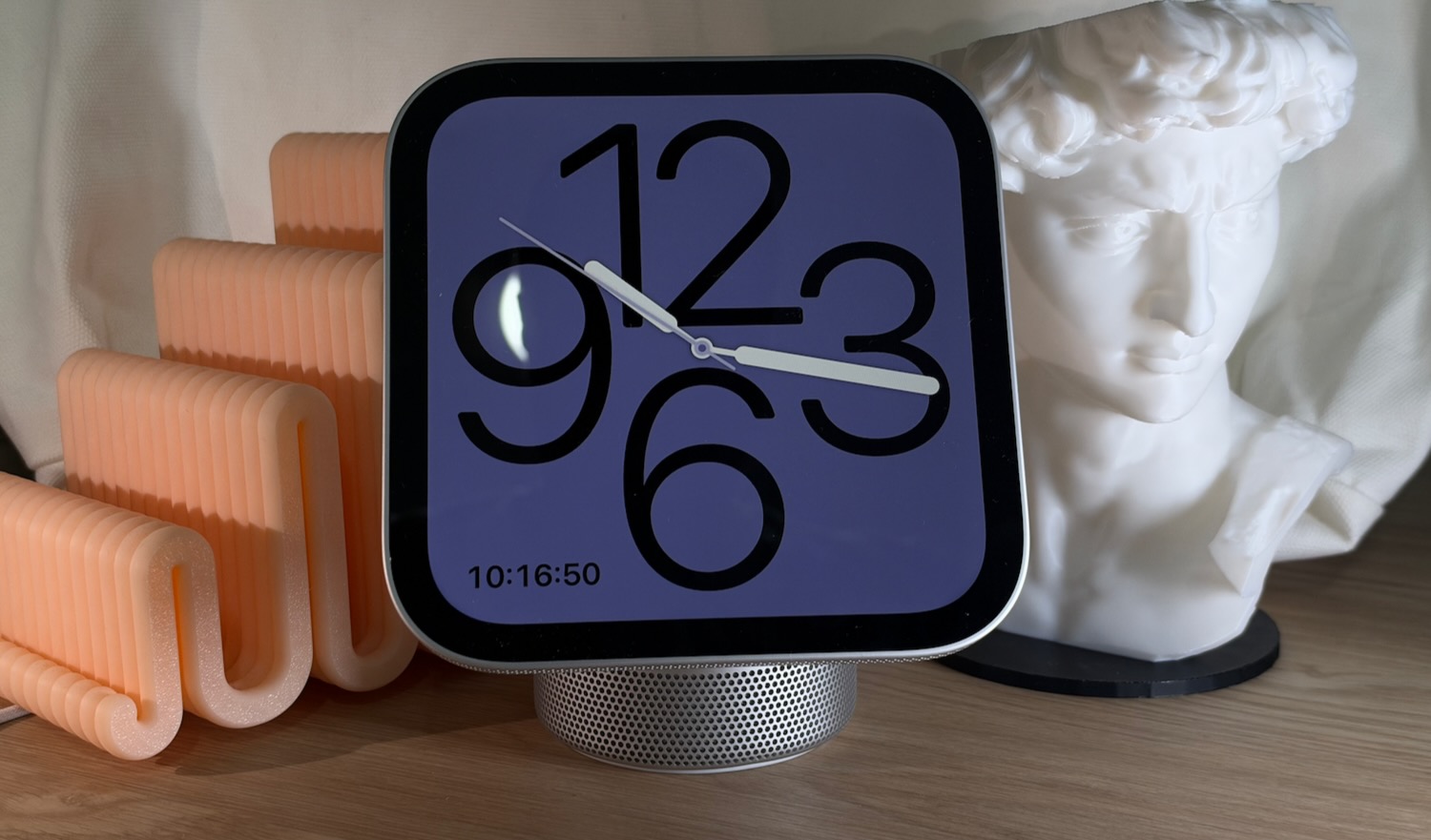
HomeView was a lot smaller than we thought – it seemed larger when we saw pictures of it but seeing it in the flesh it is a bit more petite.
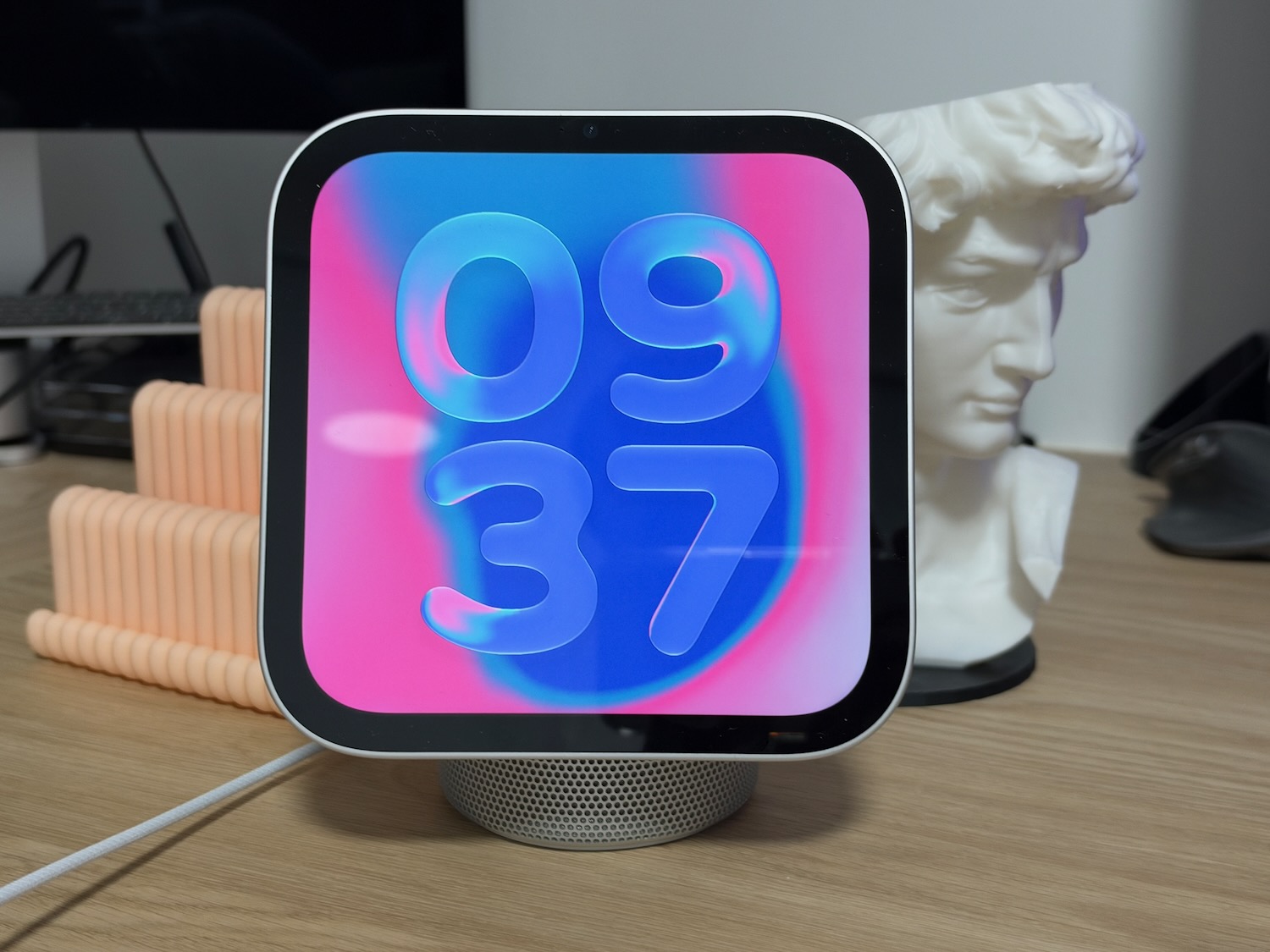
HomeView can recognise up to six people in the household by face ID or by their voice with each user able to personalise their home screen apps and widgets.
Apple is entering a space already crowded by other popular devices like Amazon’s Echo range with Alexa+ onboard.
But unlike those Echo speakers, the HomeView has access and personal insights into your apps and personal details including your messages and email.
For example, I asked HomeView to find an email that I received about reviewing an electric bike.
Within a few seconds that email was brought to the screen and read out to me so I could easily see the person who sent it and the date it was sent.
There’s no way in the world an Echo smart speaker is going to be able to do that.
But it can match HomeView when it comes to controlling smart devices and accessing information.
We’re already an Alexa household with several Echo speakers around our home and the main use is playing the radio, music, the odd audiobook and controlling devices.
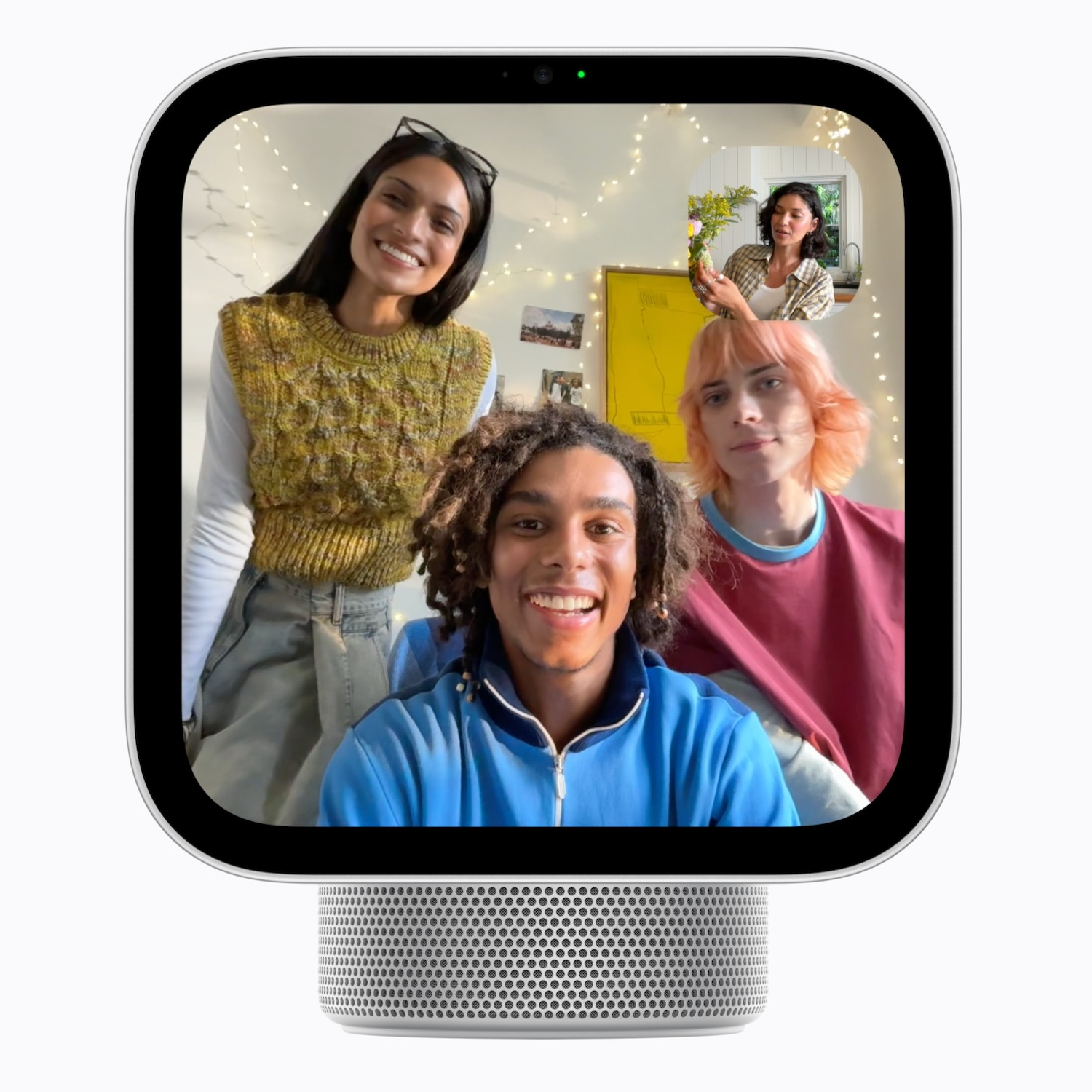
HomeView can also allow us to connect via FaceTime and Messages even use it as an intercom to come through other HomePods and HomeViews in the household.
But will an Apple customer who already has an iPad and an iPhone and possibly an Apple Watch need HomeView?
Think of it like CarPlay, as a way to access hands-free content and information while still having your phone nearby.
Just about everything you can do on HomeView, you can do in the palm of your hand with the iPad and iPhone anyway.
What HomeView can do is free you from your device while still providing the same connections, access to music and Apple TV, access to Siri AI and Apple Intelligence.
It can be your companion and assistant while staying in control of your smart devices.
If you prefer to have your iPhone or iPad hand most of the time then there’s no need for HomeView.
If you’d rather leave the phone in another room or in your bedroom or office, HomeView can come into play when you call on it and less obtrusively.
On the design side, Apple has done it again.
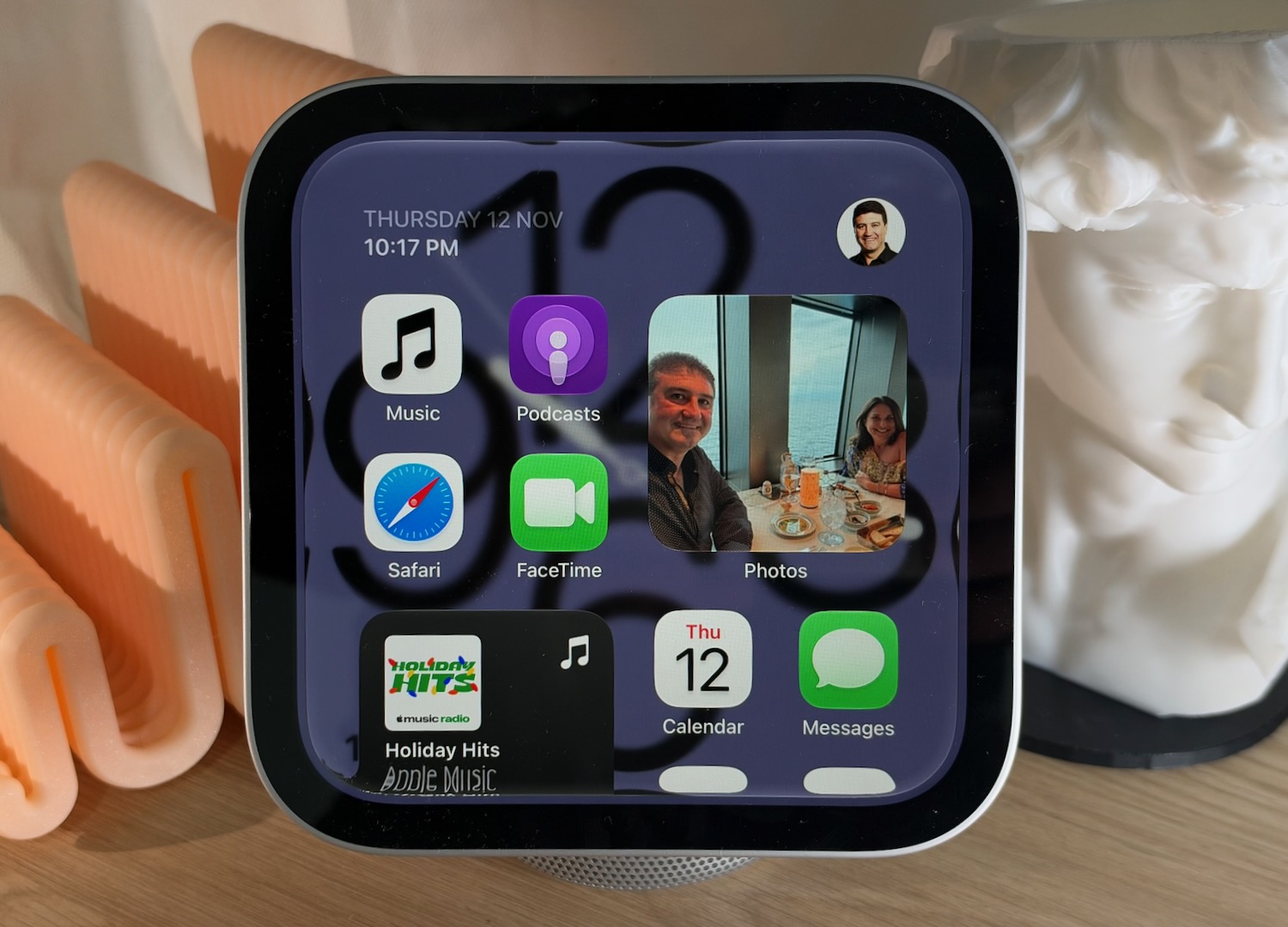
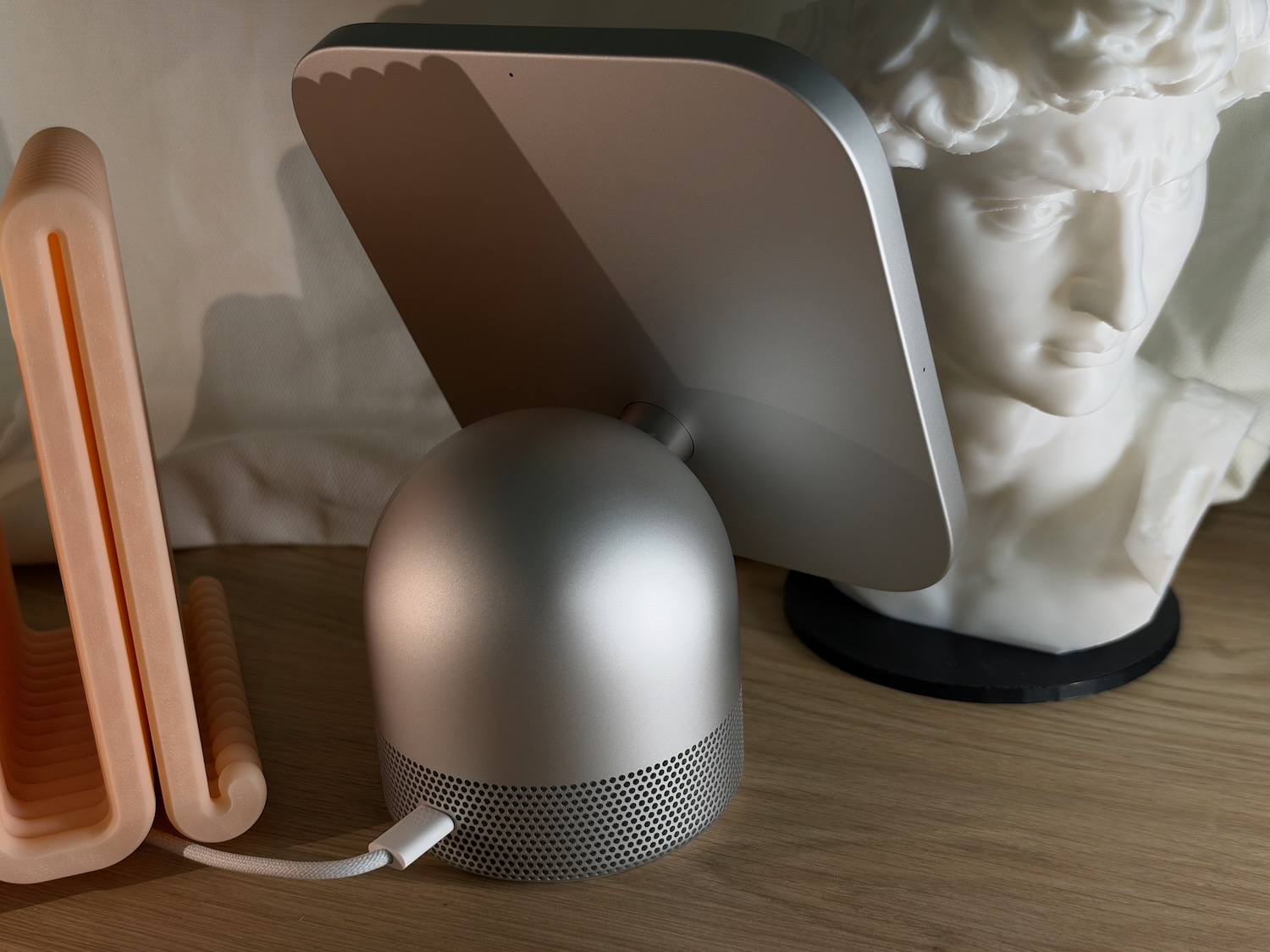
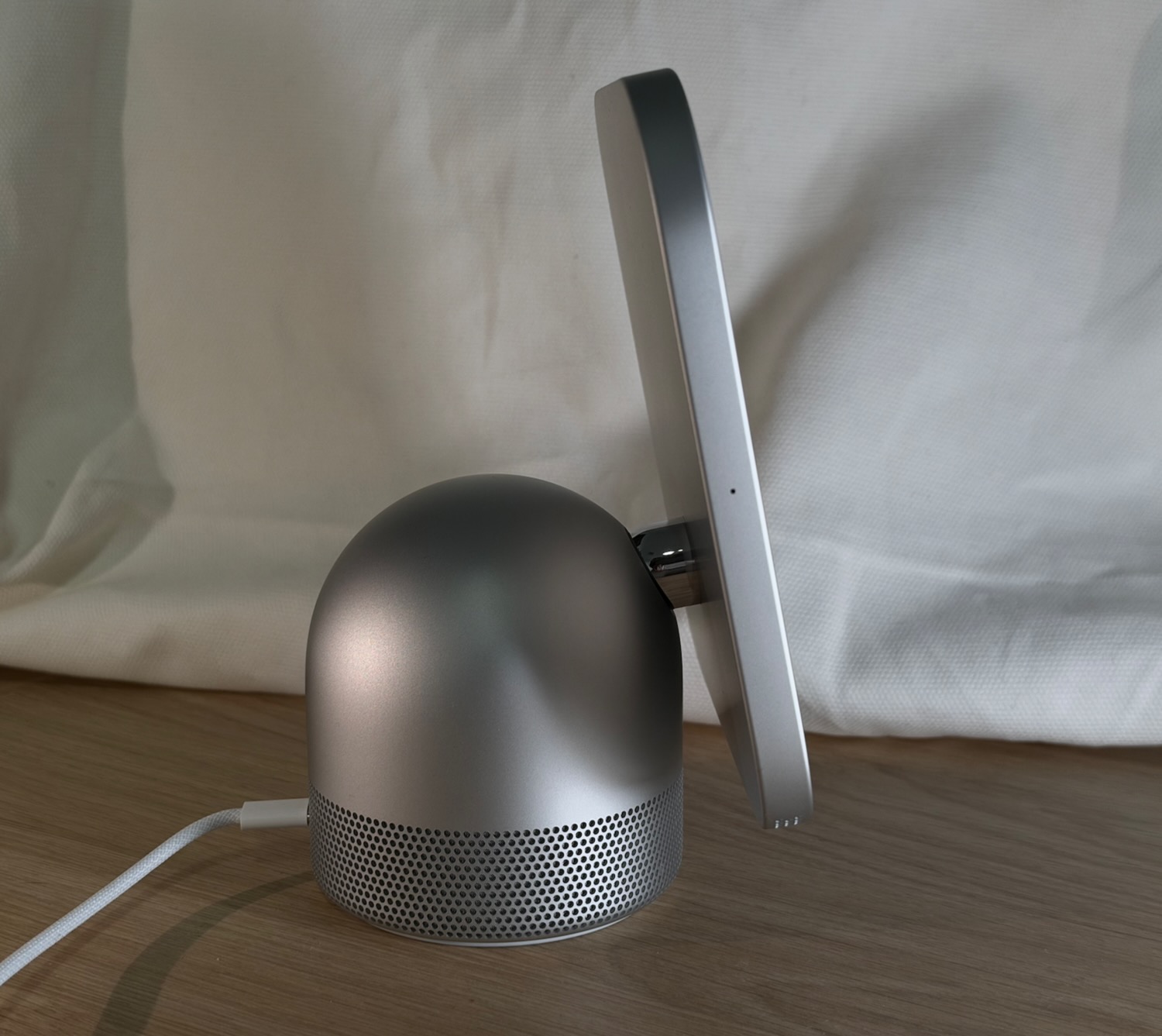
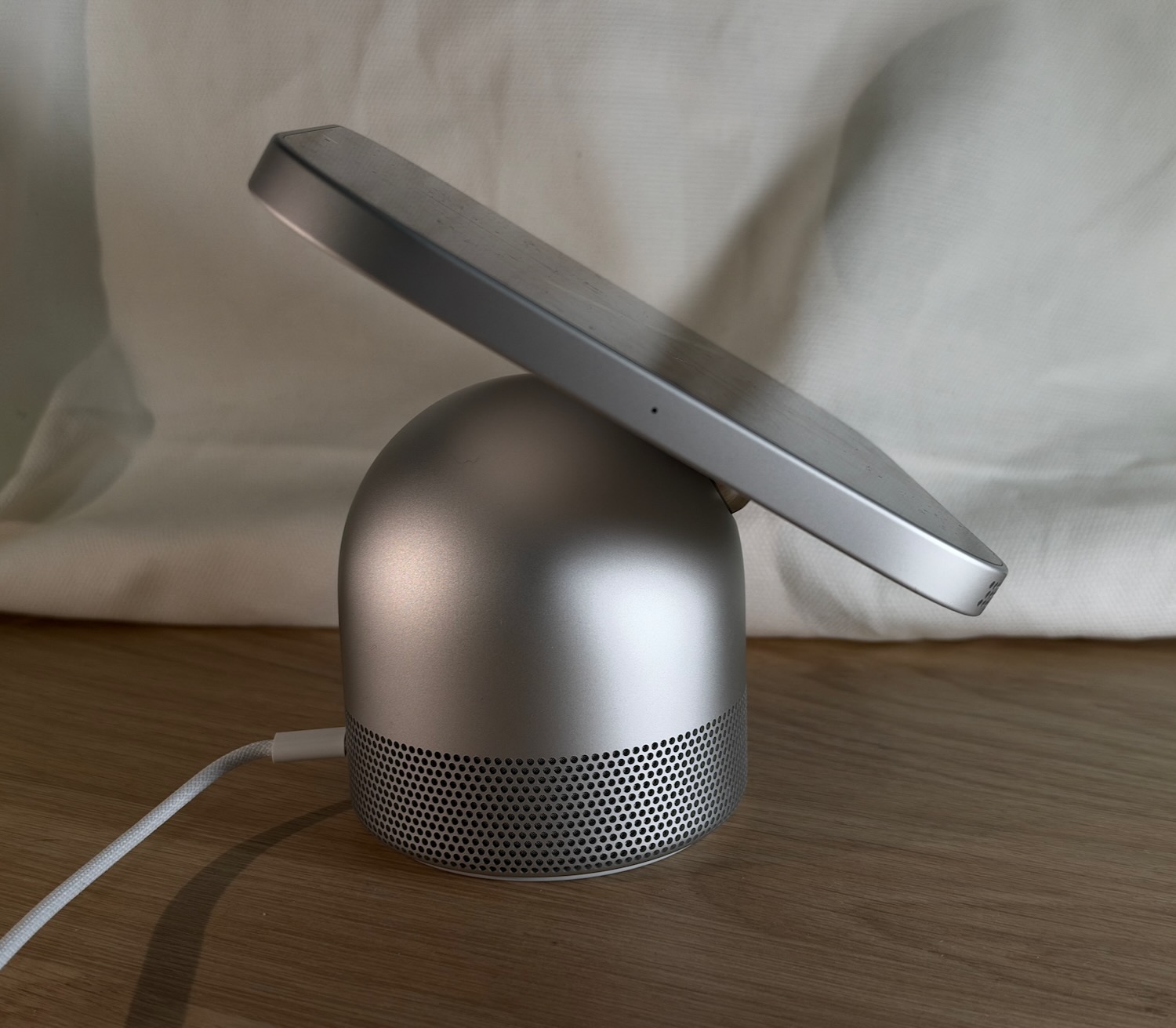
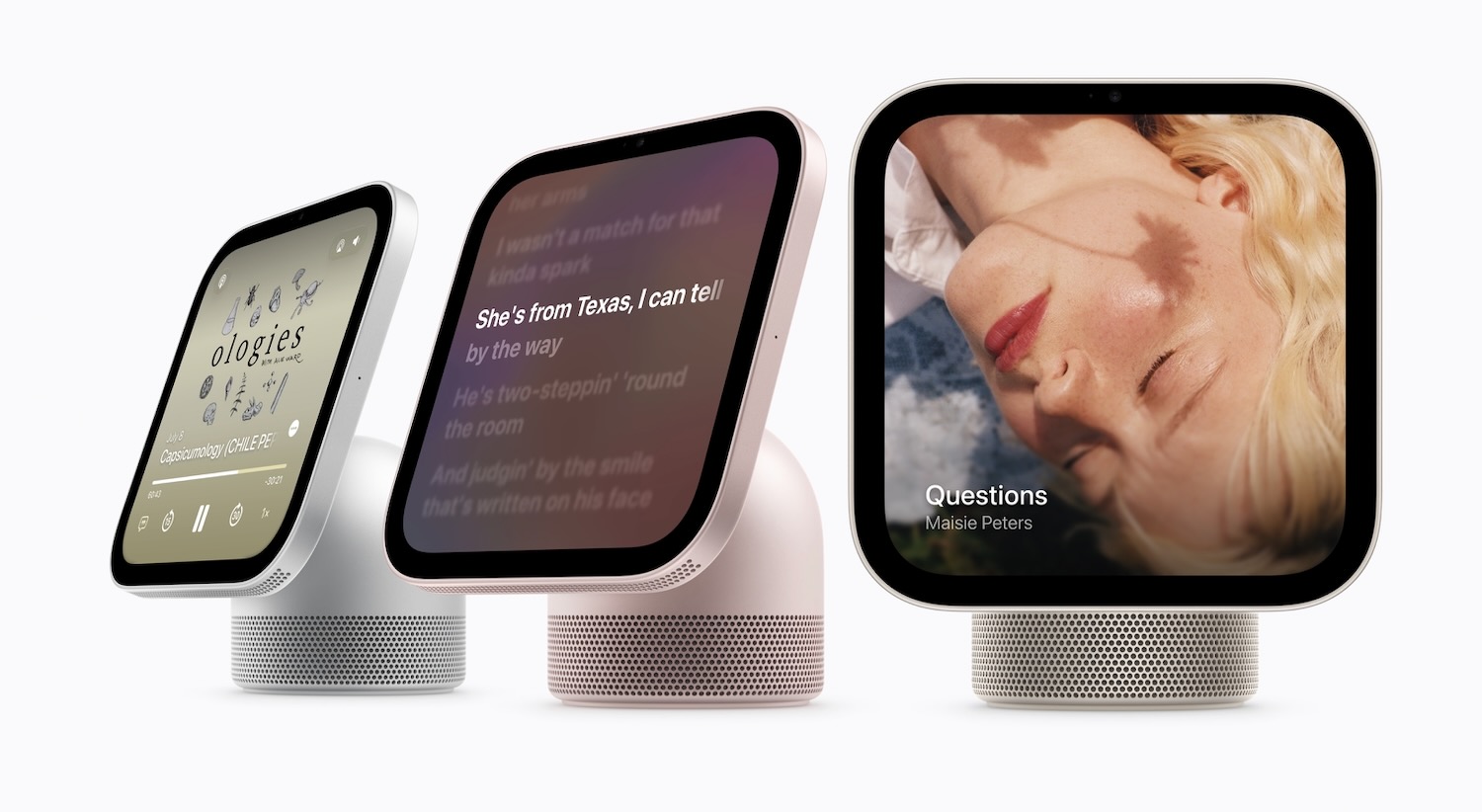
HomeView it’s an impressive look with an engineered aluminium base available in four colours and a 7-inch Liquid Retina display connected with a stainless steel hinge that can be easily adjusted for comfortable viewing.
It has a look that will complement the decor of your home.
And thanks to its relatively small footprint, it can fit just about anywhere in your home.
The device does not have a rechargeable battery so it needs to always be connected to power through the colour-matched USB-C cable.
And like your Apple Watch or iPhone you can choose the home screen widgets and all different types of clock faces.
You can also transform HomeView into your own personal family photo frame and personalise it with photo collections from your iPhone so it can display images of people, pets, nature, your travels and much more.
SIRI AI and APPLE INTELLIGENCE
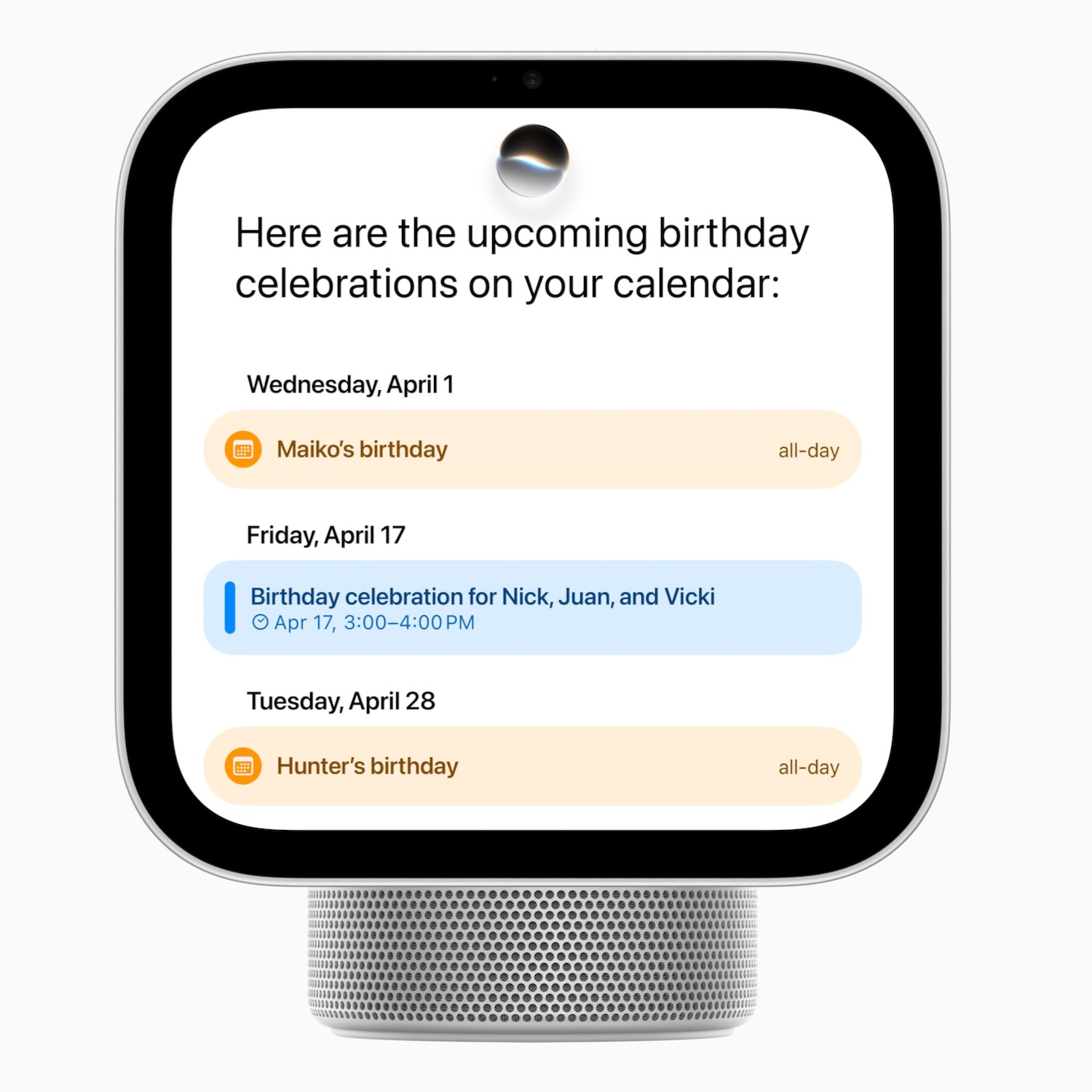
One of the strengths of HomeView is Siri AI and Apple Intelligence which not only brings broad world knowledge but it also can draw on your personal context to find information from messages, your calendar, reminders, and emails.
We asked about specific items found in emails and asked when and what time events in our calendar would you like to start HomeView responded within seconds with that information.
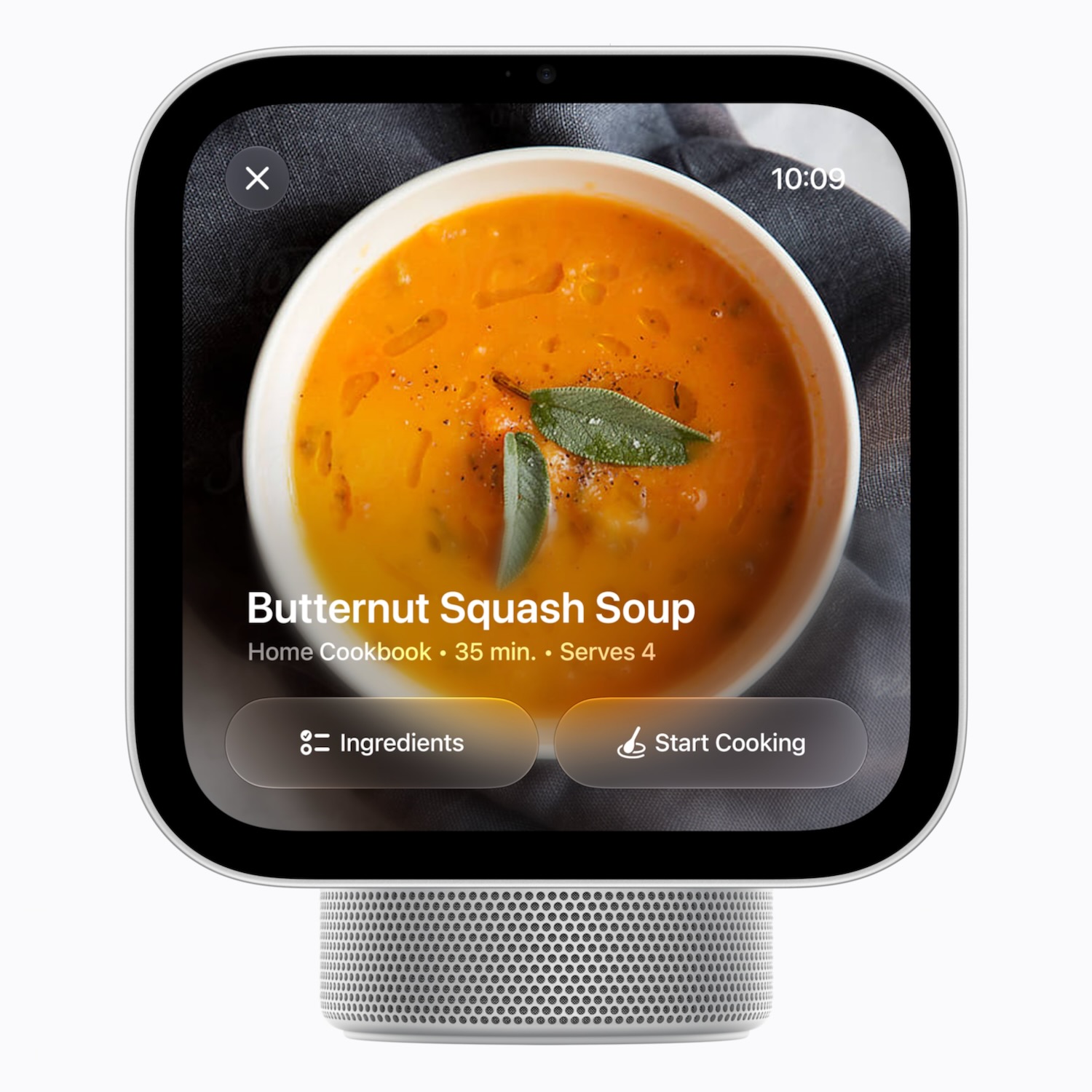
Siri can also understand what’s on the screen when you’re following a recipe in Safari and you don’t have one of the ingredients, you can ask what substitutes you can use instead.
Or if a friend sends their address in a message, you can get Siri to add it to their contact card.
Conversations with Siri can continue across your iPhone, iPad, Mac, Apple Vision Pro, and Apple Watch, so you’re able to pick right up exactly where you left off.
ENTERTAINMENT
Our favourite use of HomeView was being able to play our music and watch content on Apple TV.
Audio quality was way above what we expected thanks to its custom-engineered acoustic system, which includes two full-range drivers in the display and a down-firing subwoofer and two force-cancelling passive radiators in the base.
We were able to access our music through Apple Music and enjoy the same features, including following the lyrics and playing our favourite playlists and collections.
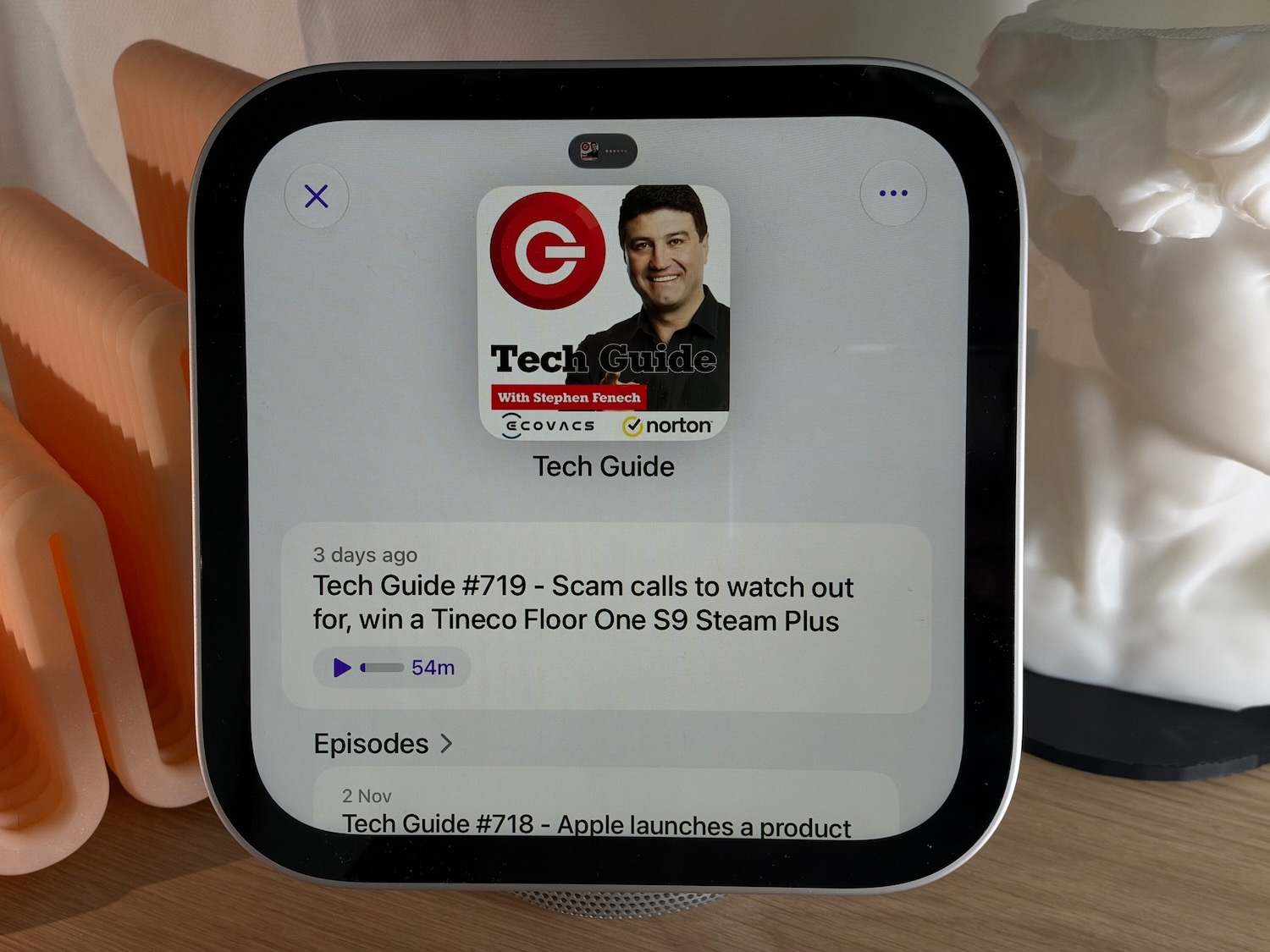
You can also use it to hear your favourite podcasts and audiobooks.
When we first tried to play our music through Apple Music, we were told to view the privacy settings, which we assumed was on our iPhone.
Instead it did mean for us to open the Apple Music app on the HomeView itself. Minor misunderstanding but we got there in the end.
What we loved was also the handoff feature so if you’re walking towards HomeView with a song playing on your iPhone or iPad you can simply hold the device near HomeView and it will take over and continue playing seamlessly.
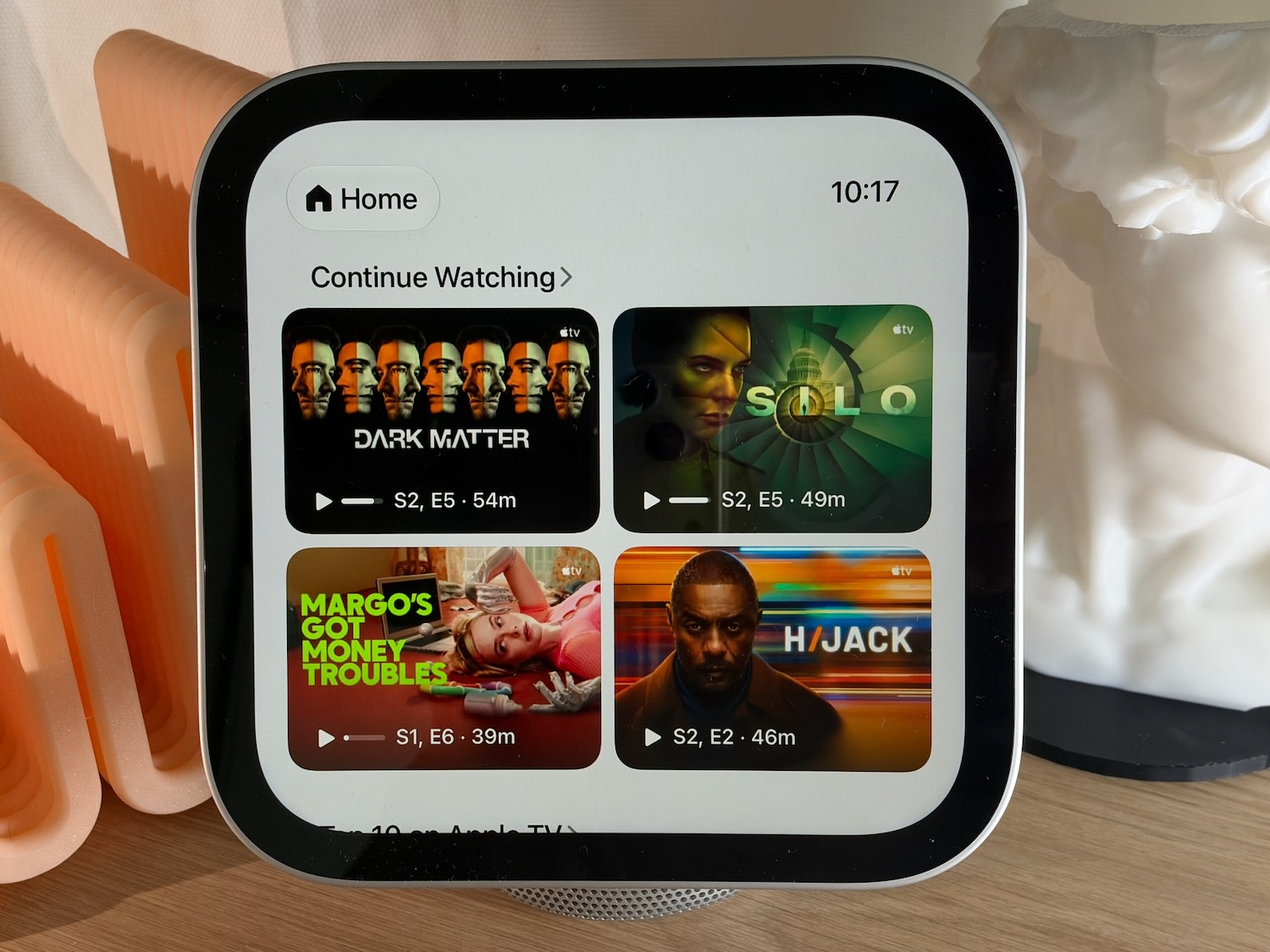
But here’s another thing you probably didn’t think you could do. You can watch Apple TV on the 7-inch display.
Sure you’d probably prefer watching your shows on a big screen TV but HomeView can also serve up your favourite shows and movies as well.
It might not be a big screen but it is a big sound – you get spatial audio with Dolby Atmos to create a small yet still immersive experience.
There were times when HomeView annoyingly took over the audio while viewing content on your iPhone and we had to disconnect the HomeView speaker in the menu.
CONNECTIONS
HomeView lets you stay connected in a few ways including FaceTime, Messages, and Find My.
The device has a 12MP centre-stage camera to ensure you are framed and centred for your calls.
Also have access to all your messages and like CarPlay you can send and receive messages just with your voice.
Another great use of HomeView is as an alarm or to set timers.
And don’t worry if you’re setting this up beside your bed, the screen can go down to just 3 nits of brightness so it’s not going to light up the room while you’re sleeping.
You can also browse the web on HomeView with Safari.
And if you set HomeView up in the kitchen, it is through Safari where you can access recipes, which the HomeView can then convert into step-by-step instructions.
SMART HOME DASHBOARD
You can also serve as your smart home dashboard when you’re connecting lights, locks, and security cameras.
Not just a matter of monitoring and receiving notifications. It’s also about being able to set automations and scenes.
For example users could set doors to lock when they leave and shades to close every night at a certain time.
You can ask Siri to set a single accessory automation, like turning on the patio light at sunset.
Through HomeKit and an iCloud+ subscription, HomeView can also work with compatible security cameras to provide notifications for packages, pets, vehicles, and people.
Videos can be stored in iCloud, encrypted end-to-end, for up to 10 days, and viewable within the Home app.
PRICING
HomeView is available in four colours – silver, starlight, rose pink, and space grey and is priced at $449
VERDICT
The new Home View offers a stylish new way to enjoy the content and connections of your Apple ecosystem but the personal context provided by Siri AI and Apple Intelligence is what sets the product apart from other smart speakers makes it a genuine assistant.
