Close Menu
  • Guides
    • Televisions
    • Computers
    • Apps
  • Blog
  • Forum
  • News
    • Audio
    • Computers
    • Digital Cameras
    • Gadgets
    • BD/DVD
    • Gaming
    • Televisions
    • Mobiles
    • In-Car News
    • Internet
  • Round Ups
    • Tablets
    • testnews
    • Audio
  • Reviews
    • Mobiles
    • Apps
    • Televisions
    • In-Car
    • Gaming
    • Audio
    • Gadgets
    • Digital Cameras
    • BD/DVD
    • Computers
  • Home
Techguide Marketplace
Movie Podcast

The Best Movies You’ve Never Seen – Life of Brian

By Stephen FenechMay 22, 20260

He’s not the Messiah, he’s a very naughty boy!!! This week on The Best Movies…

Samsung unveils its Sky Portal Studio activation for Vivid Sydney

May 22, 2026

Kick off your weekend with Episode 733 of the Two Blokes Talking Tech podcast

May 22, 2026

Tineco releases new PURE ONE range of smart and powerful stick vacuums

May 22, 2026

New Apple Sports app launched to get live score updates – but NRL and AFL are not included

May 21, 2026

HP launches AI-powered next-gen OmniBook Ultra laptops and OmniStudio desktop computer

May 21, 2026
Facebook X (Twitter) Instagram
Facebook X (Twitter) Instagram YouTube
Tech GuideTech Guide
Techguide Marketplace
  • Home
  • Latest News
    1. Appliances
    2. Audio
    3. Cars
    4. Computers
    5. Digital Cameras
    6. Drones
    7. Gadgets
    8. Gaming
    9. In-Car
    10. Internet
    11. Mobiles
    12. Renewable Energy
    13. Smart Home
    14. Televisions
    15. View All

    ECOVACS DEEBOT T90 Pro Omni robot vacuum review – quality solution takes over your cleaning

    March 10, 2026

    Bambu Lab H2C 3D printer review – remarkable device that has created our new obsession

    January 23, 2026

    Ecovacs DEEBOT X11 review – sets a new standard for robot vacuums

    September 30, 2025

    Tineco Floor One S9 Artist review – the effortless way to give your floors a thorough clean

    August 29, 2025

    Sony 1000X THE COLLEXION headphones review – luxurious in design and audio quality

    May 20, 2026

    Samsung Buds4 Pro earphones review – quality that needs to be taken seriously

    April 27, 2026

    Sony WF-1000XM6 earphones review – improvements deliver a superior audio experience

    April 6, 2026

    Amazon Echo Studio and Echo Dot Max smart speaker review – top sound and style

    November 28, 2025

    6 Automotive Tech Advancements that are Worth Upgrading your Ride For

    May 20, 2026

    Dreame unveils new Nebula Next 01 smart supercar that literally goes like a rocket

    April 28, 2026

    The Digital Transformation of Fuel Management: Smarter, Safer, and More Efficient

    March 12, 2026

    In-Car Entertainment vs Tablets for Family Road Trips

    February 14, 2026

    New Apple Sports app launched to get live score updates – but NRL and AFL are not included

    May 21, 2026

    HP launches AI-powered next-gen OmniBook Ultra laptops and OmniStudio desktop computer

    May 21, 2026

    The Hidden Business Costs of an Untidy Office Environment

    May 20, 2026

    Why Security-Focused Businesses Are Gaining Attention Among New Franchise Owners

    May 20, 2026

    Arlo Essential Pan Tilt Security Camera review – no more blinds spots for even greater peace of mind

    November 10, 2025

    DJI Mic review – a versatile audio recording system for content creators

    May 9, 2022

    Fujifilm GFX 50s Mk II review – great stills camera to graduate to higher standards

    December 20, 2021

    GoPro HERO10 Black review – even more powerful and even more versatile

    September 20, 2021

    DJI Neo 2 drone review – super light and super simple to fly but it still produces super results

    November 13, 2025

    DJI Neo review – small but capable drone that can produce amazing results and stunning selfies

    September 30, 2024

    DJI Inspire 3 professional filmmaking drone review – it’s called Inspire for a reason

    November 6, 2023

    DJI Air 3 review – excellent dual camera drone with amazing flight time

    August 14, 2023

    ECOVACS DEEBOT T90 Pro Omni robot vacuum review – quality solution takes over your cleaning

    March 10, 2026

    Bambu Lab H2C 3D printer review – remarkable device that has created our new obsession

    January 23, 2026

    Oura Ring 4 review – the discreet way to track your sleep and activities and find ways to improve

    November 25, 2025

    Apple Vision Pro with M5 review – more power to be even more remarkable

    October 30, 2025

    Add a whole dimension to your gaming with the Samsung Odyssey 3D monitor

    July 4, 2025

    We take a hands-on look at Samsung’s stunning new Smart Monitor M9

    June 27, 2025

    PlayStation 5 Portal Remote Player review – it puts your PS5 console in the palm of your hands

    October 3, 2024

    ASUS ROG ALLY X Review: The best Windows gaming handheld

    September 4, 2024

    AAWireless TWO+ car adapter review – go cable free to connect CarPlay and Android Auto

    February 16, 2026

    Uniden DashView 60R review – high quality eyes and ears when you’re driving and parked

    April 1, 2024

    Navman MiVue ALTA DC review – the dashcam that can blend into your car

    October 23, 2023

    We get behind the wheel of the MG ZS electric SUV – driving into the future

    February 9, 2021

    New Apple Sports app launched to get live score updates – but NRL and AFL are not included

    May 21, 2026

    The Hidden Business Costs of an Untidy Office Environment

    May 20, 2026

    Why Security-Focused Businesses Are Gaining Attention Among New Franchise Owners

    May 20, 2026

    Why Online SMS Numbers Matter for Digital Privacy

    May 20, 2026

    Samsung unveils its Sky Portal Studio activation for Vivid Sydney

    May 22, 2026

    New Apple Sports app launched to get live score updates – but NRL and AFL are not included

    May 21, 2026

    Why Online SMS Numbers Matter for Digital Privacy

    May 20, 2026

    11 Times to Use a VPN in Everyday Life

    May 20, 2026

    Reasons Smart Homes Are Adding Solar Batteries

    May 20, 2026

    Maximising Roof Space: Solar Systems for Commercial Buildings

    May 20, 2026

    How to Choose the Right Solar Power Company for Your Energy Needs

    May 16, 2026

    DJI’s new Power 1000 Mini portable power station can be used at home and on the road

    April 21, 2026

    Maximising Roof Space: Solar Systems for Commercial Buildings

    May 20, 2026

    How to Choose the Right Solar Power Company for Your Energy Needs

    May 16, 2026

    Bose unveils Lifestyle Collection to offer a new audio experience across your home

    May 7, 2026

    Dreame reveals its vision of the home of the future with its new products and appliances

    April 29, 2026

    Samsung reveals the technology that makes its 2026 Micro RGB TVs even better

    May 18, 2026

    Epson launches new short throw projector powered by AI image processing technology

    May 15, 2026

    Pop star Dua Lipa suing Samsung for $US15m for using her image on its TV boxes

    May 12, 2026

    Bring the cinema experience home with the Hisense XR10 flagship projector

    May 8, 2026

    The Best Movies You’ve Never Seen – Life of Brian

    May 22, 2026

    Samsung unveils its Sky Portal Studio activation for Vivid Sydney

    May 22, 2026

    Kick off your weekend with Episode 733 of the Two Blokes Talking Tech podcast

    May 22, 2026

    Tineco releases new PURE ONE range of smart and powerful stick vacuums

    May 22, 2026
  • Reviews
    1. Appliances
    2. Apps
    3. Audio
    4. Computers
    5. Digital Cameras
    6. Drones
    7. Gadgets
    8. Gaming
    9. In-Car
    10. Mobiles
    11. Smart Home
    12. Smartwatch
    13. Televisions
    14. View All

    ECOVACS DEEBOT T90 Pro Omni robot vacuum review – quality solution takes over your cleaning

    March 10, 2026

    Bambu Lab H2C 3D printer review – remarkable device that has created our new obsession

    January 23, 2026

    Ecovacs DEEBOT X11 review – sets a new standard for robot vacuums

    September 30, 2025

    Tineco Floor One S9 Artist review – the effortless way to give your floors a thorough clean

    August 29, 2025

    Apple TV 4K review – tiny but mighty unit delivers stunning cinematic quality

    November 3, 2022

    Fetch Mighty (Gen 4) review – a powerful PVR that meets all your content needs

    April 28, 2022

    Backbone One controller review – a real game-changer for iPhone players

    October 6, 2021

    Apple TV 4K 2021 review – access the latest content in the highest quality

    May 31, 2021

    Sony 1000X THE COLLEXION headphones review – luxurious in design and audio quality

    May 20, 2026

    Samsung Buds4 Pro earphones review – quality that needs to be taken seriously

    April 27, 2026

    Sony WF-1000XM6 earphones review – improvements deliver a superior audio experience

    April 6, 2026

    Amazon Echo Studio and Echo Dot Max smart speaker review – top sound and style

    November 28, 2025

    MacBook Air with M5 (2026) review – packs an even bigger punch despite its thin design

    April 10, 2026

    HP OmniBook X Flip 14 laptop review – a versatile and powerful device at an affordable price

    March 31, 2026

    Netgear Nighthawk 5G M7 Portable Wi-Fi 7 Hotspot review – staying connected has never been easier

    March 16, 2026

    MacBook Neo review – Apple’s most affordable laptop punching well above its weight

    March 11, 2026

    Arlo Essential Pan Tilt Security Camera review – no more blinds spots for even greater peace of mind

    November 10, 2025

    DJI Mic review – a versatile audio recording system for content creators

    May 9, 2022

    Fujifilm GFX 50s Mk II review – great stills camera to graduate to higher standards

    December 20, 2021

    GoPro HERO10 Black review – even more powerful and even more versatile

    September 20, 2021

    DJI Neo 2 drone review – super light and super simple to fly but it still produces super results

    November 13, 2025

    DJI Neo review – small but capable drone that can produce amazing results and stunning selfies

    September 30, 2024

    DJI Inspire 3 professional filmmaking drone review – it’s called Inspire for a reason

    November 6, 2023

    DJI Air 3 review – excellent dual camera drone with amazing flight time

    August 14, 2023

    ECOVACS DEEBOT T90 Pro Omni robot vacuum review – quality solution takes over your cleaning

    March 10, 2026

    Bambu Lab H2C 3D printer review – remarkable device that has created our new obsession

    January 23, 2026

    Oura Ring 4 review – the discreet way to track your sleep and activities and find ways to improve

    November 25, 2025

    Apple Vision Pro with M5 review – more power to be even more remarkable

    October 30, 2025

    Add a whole dimension to your gaming with the Samsung Odyssey 3D monitor

    July 4, 2025

    We take a hands-on look at Samsung’s stunning new Smart Monitor M9

    June 27, 2025

    PlayStation 5 Portal Remote Player review – it puts your PS5 console in the palm of your hands

    October 3, 2024

    ASUS ROG ALLY X Review: The best Windows gaming handheld

    September 4, 2024

    AAWireless TWO+ car adapter review – go cable free to connect CarPlay and Android Auto

    February 16, 2026

    Uniden DashView 60R review – high quality eyes and ears when you’re driving and parked

    April 1, 2024

    Navman MiVue ALTA DC review – the dashcam that can blend into your car

    October 23, 2023

    We get behind the wheel of the MG ZS electric SUV – driving into the future

    February 9, 2021

    Oppo Find N6 foldable smartphone review – raises the bar for foldables along with the price

    May 11, 2026

    Samsung Galaxy A37 smartphone review – features and quality without breaking the bank

    May 5, 2026

    Nothing Phone 4a Pro review – an Android smartphone that’s really something

    April 20, 2026

    Google Pixel 10a smartphone review – incremental upgrade that still offers features and value

    March 20, 2026

    ECOVACS DEEBOT T90 Pro Omni robot vacuum review – quality solution takes over your cleaning

    March 10, 2026

    Amazon Echo Studio and Echo Dot Max smart speaker review – top sound and style

    November 28, 2025

    Arlo Essential Pan Tilt Security Camera review – no more blinds spots for even greater peace of mind

    November 10, 2025

    eero Pro 7 review – transform and supercharge your home wireless network

    June 16, 2025

    Apple Watch Series 10 review – bigger screen, thinner, lighter and better

    October 4, 2024

    Samsung Galaxy Watch Ultra review – the bigger watch to help you do bigger things

    July 30, 2024

    Huawei Watch D smartwatch review – take your blood pressure anytime on your wrist

    July 11, 2022

    Withings ScanWatch Horizon review – a traditional watch that has all the smarts

    July 8, 2022

    Hisense UR9 RGB Mini LED TV review – a new level of picture quality and colour fidelity

    May 18, 2026

    Samsung 115-inch Micro RGB TV review – a whole new level of quality, contrast and colour

    March 30, 2026

    Hisense 116-inch RGB Mini LED UX Smart TV review – size does matter and so does the quality

    November 3, 2025

    Samsung 115-inch Neo QLED QN90F 4K Smart TV review – a big screen experience to aspire to

    October 31, 2025

    Sony 1000X THE COLLEXION headphones review – luxurious in design and audio quality

    May 20, 2026

    Hisense UR9 RGB Mini LED TV review – a new level of picture quality and colour fidelity

    May 18, 2026

    Oppo Find N6 foldable smartphone review – raises the bar for foldables along with the price

    May 11, 2026

    Samsung Galaxy A37 smartphone review – features and quality without breaking the bank

    May 5, 2026
  • Blog

    What is a university degree worth if you cheated with AI to get it?

    February 9, 2026

    From Keywords to Conversations: How LLMs Are Reshaping Search for Tech Startups

    July 24, 2025

    Would you believe the massive global IT outage could have been far worse

    July 22, 2024

    Hey Tesla the affair is over – I’ve now gone back to my ex

    August 4, 2023

    Why we should all do our part and download the coronavirus contact tracking app

    April 20, 2020
  • Apple

    New Apple Sports app launched to get live score updates – but NRL and AFL are not included

    May 21, 2026

    Apple co-founder Steve Wozniak is sceptical about AI and fears we will lose our intelligence

    May 1, 2026

    Google confirms Apple’s AI version of Siri boosted with Gemini will be ready later this year

    April 23, 2026

    Tim Cook to step down as Apple CEO in September

    April 21, 2026

    MacBook Air with M5 (2026) review – packs an even bigger punch despite its thin design

    April 10, 2026
  • Samsung

    Samsung unveils its Sky Portal Studio activation for Vivid Sydney

    May 22, 2026

    Samsung reveals the technology that makes its 2026 Micro RGB TVs even better

    May 18, 2026

    Samsung Buds4 Pro earphones review – quality that needs to be taken seriously

    April 27, 2026

    Samsung reveals pricing and availability of its AI-powered 2026 TV range including Micro RGB

    April 22, 2026

    Samsung 115-inch Micro RGB TV review – a whole new level of quality, contrast and colour

    March 30, 2026
  • Techguide Marketplace
Tech GuideTech Guide
Home»Apple»SD Card Not Showing Up on Mac? 9 Ways to Fix It 
Photo by Ravi Sharma on Unsplash
Apple

SD Card Not Showing Up on Mac? 9 Ways to Fix It 

adminBy adminJanuary 30, 2025No Comments8 Mins Read
Share
Facebook Twitter LinkedIn Pinterest Email

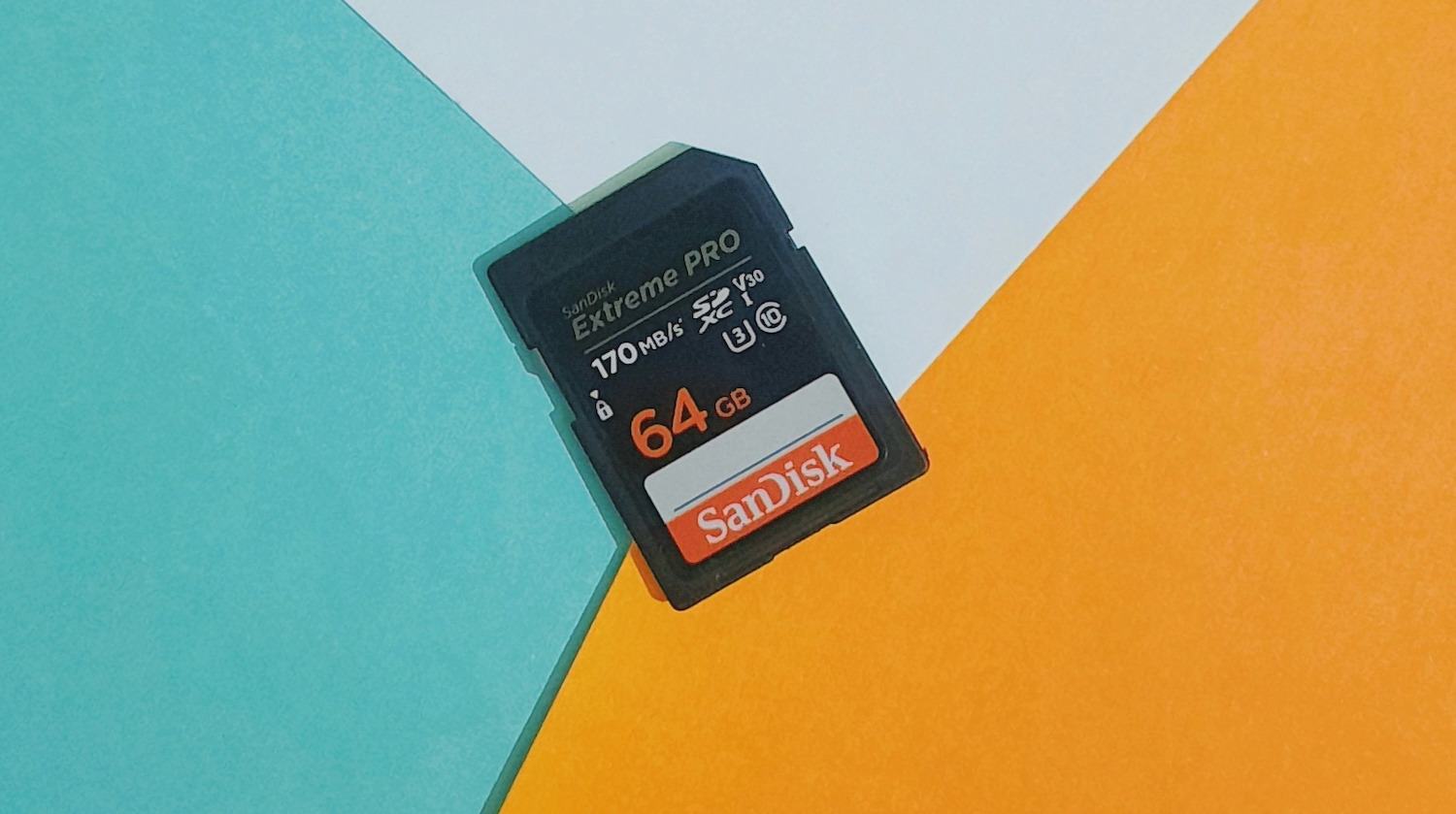
You’ve just returned from your holiday with your camera brimming with photos and videos and you want to upload them to social media. But when you take out the SD card from your camera and attach it with your computer, you come across an ‘SD card not showing up on Mac’ issue.  

You start to ask questions.

“Why is my SD card not reading on my Mac, how to rectify it, and can I reclaim my footage from it?”

Don’t worry, though. We’ll answer all these queries in this post.

By the end you’ll not only have the solution to make your memory card back to readable again but also reclaim files from it. 

Part 1: How to Find an SD Card on a Mac? 

You can locate an SD card by checking in several places such as: 

  1. Desktop – The SD card might show up as an icon with a label. 
  2. System Information – Head to “Apple” icon. Then, pick “About This Mac.” Next, choose “More Info.” Lastly, inspect “Storage” section. 
  3. Disk Utility – Open “Finder.” Then, choose “Applications.” Next, select “Utilities.” Then, open “Disk Utility.” This will display both mounted and unmounted drives in the sidebar. 
  4. Finder – Look beneath “Locations” in the “Finder” sidebar (expand it if needed). 

Part 2: Why Is My SD Card Not Reading on My Mac? 

For some unforeseen circumstances, your memory card might not appear in the areas mentioned in earlier section. If that happens, and you’re left contemplating, “Why is my SD card not reading on my Mac,” then it could be due to following reasons: 

  1. Bad Connection – The SD card reader is loose on your computer or is even damaged. If you are using a USB card reader most probably the connection might have come off or the port might be faulty. 
  2. Bugs In the System – System bugs may cause SD card detection or read/write errors. 
  3. Corrupted Card – The memory card’s file system is either damaged or the card is broken.
  4. Virus infection – A virus may prevent your SD card from appearing on your Mac.
  5. Power off – Some memory cards have a physical read-only switch which might be turned on. 

Part 3: How to Recover Data From an Unreadable SD Card? 

When an SD card does not show up on Mac, this signifies it has turned unreadable and you won’t be able to reach files on it. Although we have mentioned numerous solutions to fix this issue beneath, you might have to reformat your memory card if other methods don’t work out.  

In that case, reformatting will lose all files from your SD card. To prevent that from happening, you’ll need a specialized Mac data recovery tool, designed specifically to extract data from an inaccessible card. That’s where 4DDiG Mac Data Recovery steps in to save your day. It can retrireve files from an unreadable, inaccessible, formatted or corrupted memory card in a few clicks. Here are this tool’s key features at a glance: 

  • It can reclaim data from various types of SD cards from popular brands like SanDisk, Western Digital, etc. 
  • It can regain missing, hidden or erased files from SD cards.  
  • It can handle various SD card data loss situations, such as virus attacks, file system corruption, formatting errors, and more. 
  • It supports recovery of audio, video, documents, images, and so forth from memory cards. 
  • It provides free preview for recovered files. 
  • It is compatible with the latest Apple chips and macOS 15. 

Following are instructions to use this SD card recovery tool to reclaim files from an unreadable memory card: 

Step 1: Execute the SD card recovery tool on your computer. Then, attach the inaccessible SD card with your computer.  

Step 2: Choose the memory card from left menu in the tool. Next, pick file types to scan. Hit “Scan.” 

Screenshot

Step 3: You can pause or stop scan once the tool has recovered files you want to examine them. Then, hit “Recover” to shift them to a secure place on your computer or to a cloud drive.

Screenshot

Part 4: How to Fix SD Card Not Showing Up Mac? 

Following are 9 solutions to fix the ‘MacBook not reading SD card’ issue based on different situations. Begin by checking the connection between your computer and card reader then, head to resolving corruption in the card: 

Fix 1: Check the Connection 

More often than not, a loose connection between your SD card reader and computer is the cause of the ‘Macbook SD card not showing up’ issue. Thus, make certain the SD card is slotted correctly into the reader. Also, test with another SD card to discern if the issue is with the card or the reader. Lastly, examine the SD card for physical damage. 

Fix 2: Restart Your Mac 

It might sound simple, but restarting your system can often resolve issues like ‘SD card not showing up on Mac.’ This is true. If there is no free memory on your computer owing to running applications and processes the computer may experience a glitch like ‘SD card disappearing on MacBook.’ Still and all, it is not a problem that a reboot will not solve by clearing all the processes and starting anew. 

Fix 3: Change the Preferences Settings 

It might be that your SD card does not show up on Mac Desktop even after the computer has recognized it. This is because the option to display an external drive might be disabled in the “Preferences” settings. To enable it, follow the steps below: 

Step 1: Open “Finder.” Then, head to “Preferences.” 

Screenshot

Step 2: Next, choose “General.” After this, tick mark “External disks.” Your SD card will appear on your Mac’s desktop. 

Screenshot

Fix 4: Update Your OS 

Another reason for ‘MacBook not reading SD card’ issue could be an outdated OS that has bugs that prevent it from recognizing your card. Thus, you’ll need to update your macOS. To do so: 

Step 1: Open “System.” Then, choose “Preferences.” 

Step 2: Next, pick “Software Update.” 

Screenshot

Fix 5: Reset the NVRAM/PRAM 

Sometimes, resetting the NVRAM or PRAM on your Mac can fix the ‘Macbook SD card not showing up’ malfunction. These memories store key preferences like display resolution, sound volume, startup disk, and network settings. If misconfigured, they can cause problems like ‘MacBook not reading SD card.’ Thus, resetting them restores default settings. Here’s how to do that:  

Step 1: Power off your Mac. Then, press “Power” button.  

Step 2: Then, quickly press and hold the “Option + Command + P + R” keys. Keep holding them for 20 seconds. This resets the NVRAM/PRAM. 

Screenshot

Fix 6: Mount Your SD Card Manually 

When your SD card does not show up on Mac it could be that the mounting process was cut short by some quite hard to decipher factors. If it does appear in Disk Utility then you can manually mount your SD card. To do so: 

Step 1: Open “Finder.” Then, choose “Applications.” Next, select “Utilities.”  

Step 2: Then, open “Disk Utility.” Then, locate your SD card. If it’s greyed out, then it means it’s not mounted. So, press “Mount” from the menu up top to mount it manually.  

Screenshot

Fix 7: Run First Aid 

In case your SD card doesn’t mount manually, then this might be because of a corruption of file system. So, use “First Aid” in Disk Utility, a feature that locates file system errors to repair them. First Aid can also help mount the SD card if it’s detected but not accessible, fixing logical problems like directory structure errors. Here’s how to fix ‘SD card disappearing on MacBook’ with help of this feature: 

 Step 1: Open “Finder.” Then, choose “Applications.” Next, select “Utilities.”  

Step 2: Then, open “Disk Utility.” Pick your SD card. Then, choose “First Aid” from the menu up top. 

Step 3: Hit “Run” to fix errors automatically. Then, tap “Unmount,” remove the SD card, wait 10–15 seconds, and insert it back in your Mac. 

Screenshot

Fix 8: Reformat Your SD Card 

Reformat your SD card, if none of the solutions we’ve disclosed above works out in your favor. This is because your memory card might be using an unsupported file system. Therefore, reformatting it with a compatible file system can resolve the ‘SD card disappearing on MacBook’ problem: 

Step 1: Open “Finder.” Then, choose “Applications.” Next, select “Utilities.”  

Step 2: Then, open “Disk Utility.” Pick your SD card. Then, choose “Erase” from the menu up top. 

Step 3: Choose the new card name, file format, etc. Tap “Erase” again.  

Fix 9: Replace the SD Card 

Your card might be physically damaged if even reformatting it doesn’t fix the ‘Macbook SD card not showing up’ issue. Thus, your best option is to replace it or take it to a professional SD card repair service. 

Conclusion 

Hopefully, you’ve got the solution to “Why is my SD card not reading on my Mac, how to fix it and reclaim files from an unreadable card” in this post. Before you try any method to resolve ‘SD card not showing up Mac’ issue, use a specalized tool like 4DDiG Mac Data Recovery to reclaim files from it. It offers a high recovery rate and can extract 2000+ file formats from various types of SD cards and data loss situations. 

Share. Facebook Twitter Pinterest LinkedIn Tumblr Email
admin
  • X (Twitter)

Related Posts

New Apple Sports app launched to get live score updates – but NRL and AFL are not included

May 21, 2026

HP launches AI-powered next-gen OmniBook Ultra laptops and OmniStudio desktop computer

May 21, 2026

The Hidden Business Costs of an Untidy Office Environment

May 20, 2026

Comments are closed.

100% Human
Tech Guide only publishes quality 100% Human content you can trust. AI has never and will never be used to generate any articles and reviews despite the rise of AI and the flood of AI-generated writing elsewhere. We also reject the use of our content to be used by AI in any form whatsoever.

Get the latest news from the Tech Guide straight to your inbox.

  • Home
  • Latest News
    • Appliances
    • Audio
    • Cars
    • Computers
    • Digital Cameras
    • Drones
    • Gadgets
    • Gaming
    • In-Car
    • Internet
    • Mobiles
    • Renewable Energy
    • Smart Home
    • Televisions
  • Reviews
    • Appliances
    • Apps
    • Audio
    • Computers
    • Digital Cameras
    • Drones
    • Gadgets
    • Gaming
    • In-Car
    • Mobiles
    • Smart Home
    • Smartwatch
    • Televisions
  • Blog
  • Apple
  • Samsung
  • Techguide Marketplace
  • Home
  • Latest News
    • Appliances
    • Audio
    • Cars
    • Computers
    • Digital Cameras
    • Drones
    • Gadgets
    • Gaming
    • In-Car
    • Internet
    • Mobiles
    • Renewable Energy
    • Smart Home
    • Televisions
  • Reviews
    • Appliances
    • Apps
    • Audio
    • Computers
    • Digital Cameras
    • Drones
    • Gadgets
    • Gaming
    • In-Car
    • Mobiles
    • Smart Home
    • Smartwatch
    • Televisions
  • Blog
  • Apple
  • Samsung
  • Techguide Marketplace

Sony 1000X THE COLLEXION headphones review – luxurious in design and audio quality

Hisense UR9 RGB Mini LED TV review – a new level of picture quality and colour fidelity

Oppo Find N6 foldable smartphone review – raises the bar for foldables along with the price

Samsung Galaxy A37 smartphone review – features and quality without breaking the bank

Samsung Buds4 Pro earphones review – quality that needs to be taken seriously

Nothing Phone 4a Pro review – an Android smartphone that’s really something

The Best Movies You’ve Never Seen – Life of Brian

Kick off your weekend with Episode 733 of the Two Blokes Talking Tech podcast

This is the way – press play on Episode 694 of the top-rating Tech Guide podcast

© 2025 Techguide. Designed by Multimediax.

Type above and press Enter to search. Press Esc to cancel.