Close Menu
  • Guides
    • Televisions
    • Computers
    • Apps
  • Blog
  • Forum
  • News
    • Audio
    • Computers
    • Digital Cameras
    • Gadgets
    • BD/DVD
    • Gaming
    • Televisions
    • Mobiles
    • In-Car News
    • Internet
  • Round Ups
    • Tablets
    • testnews
    • Audio
  • Reviews
    • Mobiles
    • Apps
    • Televisions
    • In-Car
    • Gaming
    • Audio
    • Gadgets
    • Digital Cameras
    • BD/DVD
    • Computers
  • Home
Techguide Marketplace
EV podcast

Take one last ride in 2025 and listen to the latest episode of Two Blokes Talking Electric Cars – the EV podcast

By Stephen FenechDecember 22, 20250

Take a ride for the last time in 2025 and listen to the latest episode…

The Best Movies You’ve Never Seen – One Flew Over The Cuckoos Nest 50th Anniversary recast

December 19, 2025

Catch Episode 713 – our final Two Blokes Talking Tech podcast of the year – recorded live in front of an audience

December 19, 2025

Optus Triple Zero outage report reveals internal company failures and emergency calling system faults

December 18, 2025

Norton releases free AI-powered Neo browser to keep you safe and protect your privacy online

December 17, 2025

How Automation And Precision Robotics Are Transforming Modern Labs

December 16, 2025
Facebook X (Twitter) Instagram
Facebook X (Twitter) Instagram YouTube
Tech GuideTech Guide
Techguide Marketplace
  • Home
  • Latest News
    1. Appliances
    2. Audio
    3. Cars
    4. Computers
    5. Digital Cameras
    6. Drones
    7. Gadgets
    8. Gaming
    9. In-Car
    10. Internet
    11. Mobiles
    12. Renewable Energy
    13. Smart Home
    14. Televisions
    15. View All

    Ecovacs DEEBOT X11 review – sets a new standard for robot vacuums

    September 30, 2025

    Tineco Floor One S9 Artist review – the effortless way to give your floors a thorough clean

    August 29, 2025

    Tineco Carpet One Cruiser review – it’s easy to give your carpets a deep clean

    June 13, 2025

    DEEBOT X8 Pro Omni robot vacuum review – worthy investment to take over the cleaning duties

    March 6, 2025

    Amazon Echo Studio and Echo Dot Max smart speaker review – top sound and style

    November 28, 2025

    Sony ULT Field 5 portable Bluetooth speaker review – take quality thumping sound anywhere

    November 7, 2025

    AirPods Pro 3 earphones review – a remarkable improvement of audio quality and features across the board

    October 6, 2025

    Nothing Headphones (1) review – impressive audio but the design won’t be for everyone

    July 17, 2025

    Tech Guide’s 2025 12 Days of Christmas Gift Ideas – Day 4: In-Car Gadgets

    December 4, 2025

    How Tech is Transforming the Way Australians Sell Their Cars

    November 26, 2025

    The Essential Role of DC-DC Chargers in Powering Electric Vehicles

    October 30, 2025

    Unlocking the Truth: Using Dashcams and Digital Data to Prove Your Case

    September 23, 2025

    Norton releases free AI-powered Neo browser to keep you safe and protect your privacy online

    December 17, 2025

    How Automation And Precision Robotics Are Transforming Modern Labs

    December 16, 2025

    Legal Technology for Consumers: Tools, Risks, and Choices

    December 16, 2025

    Top Data Engineering Companies Transforming Businesses with Big Data

    December 16, 2025

    Arlo Essential Pan Tilt Security Camera review – no more blinds spots for even greater peace of mind

    November 10, 2025

    DJI Mic review – a versatile audio recording system for content creators

    May 9, 2022

    Fujifilm GFX 50s Mk II review – great stills camera to graduate to higher standards

    December 20, 2021

    GoPro HERO10 Black review – even more powerful and even more versatile

    September 20, 2021

    DJI Neo 2 drone review – super light and super simple to fly but it still produces super results

    November 13, 2025

    DJI Neo review – small but capable drone that can produce amazing results and stunning selfies

    September 30, 2024

    DJI Inspire 3 professional filmmaking drone review – it’s called Inspire for a reason

    November 6, 2023

    DJI Air 3 review – excellent dual camera drone with amazing flight time

    August 14, 2023

    Oura Ring 4 review – the discreet way to track your sleep and activities and find ways to improve

    November 25, 2025

    Apple Vision Pro with M5 review – more power to be even more remarkable

    October 30, 2025

    Apple Watch Ultra 3 review – the smartwatch that can get the best out of you

    October 17, 2025

    Tineco Floor One S9 Artist review – the effortless way to give your floors a thorough clean

    August 29, 2025

    Add a whole dimension to your gaming with the Samsung Odyssey 3D monitor

    July 4, 2025

    We take a hands-on look at Samsung’s stunning new Smart Monitor M9

    June 27, 2025

    PlayStation 5 Portal Remote Player review – it puts your PS5 console in the palm of your hands

    October 3, 2024

    ASUS ROG ALLY X Review: The best Windows gaming handheld

    September 4, 2024

    Uniden DashView 60R review – high quality eyes and ears when you’re driving and parked

    April 1, 2024

    Navman MiVue ALTA DC review – the dashcam that can blend into your car

    October 23, 2023

    We get behind the wheel of the MG ZS electric SUV – driving into the future

    February 9, 2021

    Amazon Echo Auto review – take Alexa on the road and make your car smarter

    July 13, 2020

    Norton releases free AI-powered Neo browser to keep you safe and protect your privacy online

    December 17, 2025

    How Automation And Precision Robotics Are Transforming Modern Labs

    December 16, 2025

    Legal Technology for Consumers: Tools, Risks, and Choices

    December 16, 2025

    Top Data Engineering Companies Transforming Businesses with Big Data

    December 16, 2025

    Optus Triple Zero outage report reveals internal company failures and emergency calling system faults

    December 18, 2025

    Stellar Data Recovery for Android: Does It Really Recover What You Lost?

    December 16, 2025

    Apple issues software update for iPhone 12 to avoid potential Triple Zero issues

    December 15, 2025

    Apple announces its 2025 Apps and Games of the Year

    December 5, 2025

    Apple kicks off renewable energy projects in Australia to match the power you use to run its products

    November 7, 2025

    Why Australia Homes Are Switching to Solar and Batteries

    September 23, 2025

    Stay powered up anywhere with the new Bluetti Elite 100 V2 portable power station

    August 19, 2025

    Electric Dreams: The Future of Mobility and Sustainable Tech

    August 4, 2025

    Tech Guide’s 2025 12 Days of Christmas Gift Ideas – Day 8: Smart/IoT devices

    December 10, 2025

    Electrician reveals the Top 7 Spots Where Hidden Wiring Hazards Lurk

    December 6, 2025

    Nanoleaf’s Multicolour Floor Lamp and Pegboard Desk Dock offer new ways to light up your life

    November 5, 2025

    Has July created the unlosable suitcase? The new CaseSafe range has a built-in tracker

    November 4, 2025

    Tech Guide’s 2025 12 Days of Christmas Gift Ideas – Day 10 – TVs and Soundbars

    December 12, 2025

    Fetch TV re-invents itself with new $3.99 monthly access subscription

    December 2, 2025

    JBL’s new range of soundbars offer immersive 3D audio for your movies, music and games

    October 21, 2025

    Australians are spending even more on subscription video on demand services

    October 9, 2025

    Take one last ride in 2025 and listen to the latest episode of Two Blokes Talking Electric Cars – the EV podcast

    December 22, 2025

    The Best Movies You’ve Never Seen – One Flew Over The Cuckoos Nest 50th Anniversary recast

    December 19, 2025

    Catch Episode 713 – our final Two Blokes Talking Tech podcast of the year – recorded live in front of an audience

    December 19, 2025

    Optus Triple Zero outage report reveals internal company failures and emergency calling system faults

    December 18, 2025
  • Reviews
    1. Appliances
    2. Apps
    3. Audio
    4. Computers
    5. Digital Cameras
    6. Drones
    7. Gadgets
    8. Gaming
    9. In-Car
    10. Mobiles
    11. Smart Home
    12. Smartwatch
    13. Televisions
    14. View All

    Ecovacs DEEBOT X11 review – sets a new standard for robot vacuums

    September 30, 2025

    Tineco Floor One S9 Artist review – the effortless way to give your floors a thorough clean

    August 29, 2025

    Tineco Carpet One Cruiser review – it’s easy to give your carpets a deep clean

    June 13, 2025

    DEEBOT X8 Pro Omni robot vacuum review – worthy investment to take over the cleaning duties

    March 6, 2025

    Apple TV 4K review – tiny but mighty unit delivers stunning cinematic quality

    November 3, 2022

    Fetch Mighty (Gen 4) review – a powerful PVR that meets all your content needs

    April 28, 2022

    Backbone One controller review – a real game-changer for iPhone players

    October 6, 2021

    Apple TV 4K 2021 review – access the latest content in the highest quality

    May 31, 2021

    Amazon Echo Studio and Echo Dot Max smart speaker review – top sound and style

    November 28, 2025

    Sony ULT Field 5 portable Bluetooth speaker review – take quality thumping sound anywhere

    November 7, 2025

    AirPods Pro 3 earphones review – a remarkable improvement of audio quality and features across the board

    October 6, 2025

    Nothing Headphones (1) review – impressive audio but the design won’t be for everyone

    July 17, 2025

    Apple Vision Pro with M5 review – more power to be even more remarkable

    October 30, 2025

    14-inch MacBook Pro with M5 review – this is the power and performance you’re looking for

    October 22, 2025

    iPad Pro with M5 review – it pushes the envelope with its remarkable capabilities

    October 22, 2025

    Kogan Atlas E900 review – how good could a $369 Windows 11 laptop be?

    October 13, 2025

    Arlo Essential Pan Tilt Security Camera review – no more blinds spots for even greater peace of mind

    November 10, 2025

    DJI Mic review – a versatile audio recording system for content creators

    May 9, 2022

    Fujifilm GFX 50s Mk II review – great stills camera to graduate to higher standards

    December 20, 2021

    GoPro HERO10 Black review – even more powerful and even more versatile

    September 20, 2021

    DJI Neo 2 drone review – super light and super simple to fly but it still produces super results

    November 13, 2025

    DJI Neo review – small but capable drone that can produce amazing results and stunning selfies

    September 30, 2024

    DJI Inspire 3 professional filmmaking drone review – it’s called Inspire for a reason

    November 6, 2023

    DJI Air 3 review – excellent dual camera drone with amazing flight time

    August 14, 2023

    Oura Ring 4 review – the discreet way to track your sleep and activities and find ways to improve

    November 25, 2025

    Apple Vision Pro with M5 review – more power to be even more remarkable

    October 30, 2025

    Apple Watch Ultra 3 review – the smartwatch that can get the best out of you

    October 17, 2025

    Tineco Floor One S9 Artist review – the effortless way to give your floors a thorough clean

    August 29, 2025

    Add a whole dimension to your gaming with the Samsung Odyssey 3D monitor

    July 4, 2025

    We take a hands-on look at Samsung’s stunning new Smart Monitor M9

    June 27, 2025

    PlayStation 5 Portal Remote Player review – it puts your PS5 console in the palm of your hands

    October 3, 2024

    ASUS ROG ALLY X Review: The best Windows gaming handheld

    September 4, 2024

    Uniden DashView 60R review – high quality eyes and ears when you’re driving and parked

    April 1, 2024

    Navman MiVue ALTA DC review – the dashcam that can blend into your car

    October 23, 2023

    We get behind the wheel of the MG ZS electric SUV – driving into the future

    February 9, 2021

    Amazon Echo Auto review – take Alexa on the road and make your car smarter

    July 13, 2020

    Oura Ring 4 review – the discreet way to track your sleep and activities and find ways to improve

    November 25, 2025

    Apple Vision Pro with M5 review – more power to be even more remarkable

    October 30, 2025

    iPad Pro with M5 review – it pushes the envelope with its remarkable capabilities

    October 22, 2025

    Apple Watch Ultra 3 review – the smartwatch that can get the best out of you

    October 17, 2025

    Amazon Echo Studio and Echo Dot Max smart speaker review – top sound and style

    November 28, 2025

    Arlo Essential Pan Tilt Security Camera review – no more blinds spots for even greater peace of mind

    November 10, 2025

    eero Pro 7 review – transform and supercharge your home wireless network

    June 16, 2025

    Arlo Wired Floodlight Camera review – a great way to maintain uninterrupted home security

    April 1, 2025

    Apple Watch Series 10 review – bigger screen, thinner, lighter and better

    October 4, 2024

    Samsung Galaxy Watch Ultra review – the bigger watch to help you do bigger things

    July 30, 2024

    Huawei Watch D smartwatch review – take your blood pressure anytime on your wrist

    July 11, 2022

    Withings ScanWatch Horizon review – a traditional watch that has all the smarts

    July 8, 2022

    Hisense 116-inch RGB Mini LED UX Smart TV review – size does matter and so does the quality

    November 3, 2025

    Samsung 115-inch Neo QLED QN90F 4K Smart TV review – a big screen experience to aspire to

    October 31, 2025

    Samsung 98-inch QN90F 4K Smart TV review – once you go big you’ll never go back

    August 31, 2025

    LG Smart Monitor Swing review – use it for work and play anywhere in your home

    August 25, 2025

    Amazon Echo Studio and Echo Dot Max smart speaker review – top sound and style

    November 28, 2025

    Oura Ring 4 review – the discreet way to track your sleep and activities and find ways to improve

    November 25, 2025

    DJI Neo 2 drone review – super light and super simple to fly but it still produces super results

    November 13, 2025

    Arlo Essential Pan Tilt Security Camera review – no more blinds spots for even greater peace of mind

    November 10, 2025
  • Blog

    From Keywords to Conversations: How LLMs Are Reshaping Search for Tech Startups

    July 24, 2025

    Would you believe the massive global IT outage could have been far worse

    July 22, 2024

    Hey Tesla the affair is over – I’ve now gone back to my ex

    August 4, 2023

    Why we should all do our part and download the coronavirus contact tracking app

    April 20, 2020

    It’s two years since I went solar and the savings have been enormous

    October 15, 2019
  • Apple

    Apple issues software update for iPhone 12 to avoid potential Triple Zero issues

    December 15, 2025

    Apple announces its 2025 Apps and Games of the Year

    December 5, 2025

    Tech Guide’s 2025 12 Days of Christmas Gift Ideas – Day 3: Smartwatches/Wearables

    December 3, 2025

    Apple offers three months free subscription to Apple One with new iPhone and iPad purchase

    November 13, 2025

    Apple kicks off renewable energy projects in Australia to match the power you use to run its products

    November 7, 2025
  • Samsung

    Samsung 115-inch Neo QLED QN90F 4K Smart TV review – a big screen experience to aspire to

    October 31, 2025

    Samsung releases Galaxy XR headset that’s built on the new Android XR platform

    October 27, 2025

    Samsung releases its biggest TV ever – the 115-inch Neo QLED 4K smart TV

    October 2, 2025

    Samsung Galaxy S25 FE review – the smartphone that punches well above its weight

    September 26, 2025

    Samsung outlines its four pillar approach to AI in the home at IFA 2025 in Berlin

    September 8, 2025
  • Techguide Marketplace
Tech GuideTech Guide
Home»Apple»SD Card Not Showing Up on Mac? 9 Ways to Fix It 
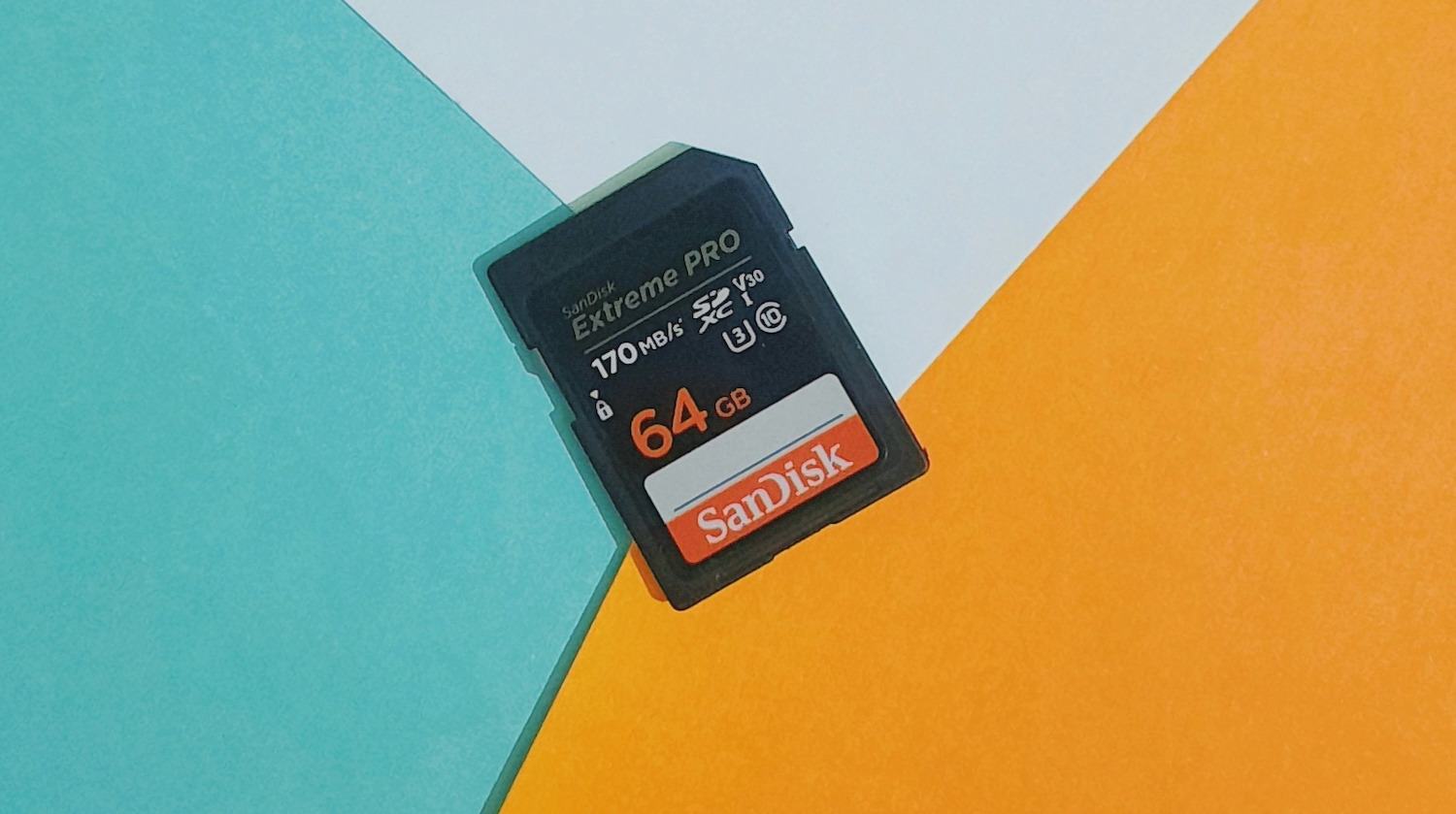
Photo by Ravi Sharma on Unsplash
Apple

SD Card Not Showing Up on Mac? 9 Ways to Fix It 

adminBy adminJanuary 30, 2025No Comments8 Mins Read
Share
Facebook Twitter LinkedIn Pinterest Email

You’ve just returned from your holiday with your camera brimming with photos and videos and you want to upload them to social media. But when you take out the SD card from your camera and attach it with your computer, you come across an ‘SD card not showing up on Mac’ issue.  

You start to ask questions.

“Why is my SD card not reading on my Mac, how to rectify it, and can I reclaim my footage from it?”

Don’t worry, though. We’ll answer all these queries in this post.

By the end you’ll not only have the solution to make your memory card back to readable again but also reclaim files from it. 

Part 1: How to Find an SD Card on a Mac? 

You can locate an SD card by checking in several places such as: 

  1. Desktop – The SD card might show up as an icon with a label. 
  2. System Information – Head to “Apple” icon. Then, pick “About This Mac.” Next, choose “More Info.” Lastly, inspect “Storage” section. 
  3. Disk Utility – Open “Finder.” Then, choose “Applications.” Next, select “Utilities.” Then, open “Disk Utility.” This will display both mounted and unmounted drives in the sidebar. 
  4. Finder – Look beneath “Locations” in the “Finder” sidebar (expand it if needed). 

Part 2: Why Is My SD Card Not Reading on My Mac? 

For some unforeseen circumstances, your memory card might not appear in the areas mentioned in earlier section. If that happens, and you’re left contemplating, “Why is my SD card not reading on my Mac,” then it could be due to following reasons: 

  1. Bad Connection – The SD card reader is loose on your computer or is even damaged. If you are using a USB card reader most probably the connection might have come off or the port might be faulty. 
  2. Bugs In the System – System bugs may cause SD card detection or read/write errors. 
  3. Corrupted Card – The memory card’s file system is either damaged or the card is broken.
  4. Virus infection – A virus may prevent your SD card from appearing on your Mac.
  5. Power off – Some memory cards have a physical read-only switch which might be turned on. 

Part 3: How to Recover Data From an Unreadable SD Card? 

When an SD card does not show up on Mac, this signifies it has turned unreadable and you won’t be able to reach files on it. Although we have mentioned numerous solutions to fix this issue beneath, you might have to reformat your memory card if other methods don’t work out.  

In that case, reformatting will lose all files from your SD card. To prevent that from happening, you’ll need a specialized Mac data recovery tool, designed specifically to extract data from an inaccessible card. That’s where 4DDiG Mac Data Recovery steps in to save your day. It can retrireve files from an unreadable, inaccessible, formatted or corrupted memory card in a few clicks. Here are this tool’s key features at a glance: 

  • It can reclaim data from various types of SD cards from popular brands like SanDisk, Western Digital, etc. 
  • It can regain missing, hidden or erased files from SD cards.  
  • It can handle various SD card data loss situations, such as virus attacks, file system corruption, formatting errors, and more. 
  • It supports recovery of audio, video, documents, images, and so forth from memory cards. 
  • It provides free preview for recovered files. 
  • It is compatible with the latest Apple chips and macOS 15. 

Following are instructions to use this SD card recovery tool to reclaim files from an unreadable memory card: 

Step 1: Execute the SD card recovery tool on your computer. Then, attach the inaccessible SD card with your computer.  

Step 2: Choose the memory card from left menu in the tool. Next, pick file types to scan. Hit “Scan.” 

Screenshot

Step 3: You can pause or stop scan once the tool has recovered files you want to examine them. Then, hit “Recover” to shift them to a secure place on your computer or to a cloud drive.

Screenshot

Part 4: How to Fix SD Card Not Showing Up Mac? 

Following are 9 solutions to fix the ‘MacBook not reading SD card’ issue based on different situations. Begin by checking the connection between your computer and card reader then, head to resolving corruption in the card: 

Fix 1: Check the Connection 

More often than not, a loose connection between your SD card reader and computer is the cause of the ‘Macbook SD card not showing up’ issue. Thus, make certain the SD card is slotted correctly into the reader. Also, test with another SD card to discern if the issue is with the card or the reader. Lastly, examine the SD card for physical damage. 

Fix 2: Restart Your Mac 

It might sound simple, but restarting your system can often resolve issues like ‘SD card not showing up on Mac.’ This is true. If there is no free memory on your computer owing to running applications and processes the computer may experience a glitch like ‘SD card disappearing on MacBook.’ Still and all, it is not a problem that a reboot will not solve by clearing all the processes and starting anew. 

Fix 3: Change the Preferences Settings 

It might be that your SD card does not show up on Mac Desktop even after the computer has recognized it. This is because the option to display an external drive might be disabled in the “Preferences” settings. To enable it, follow the steps below: 

Step 1: Open “Finder.” Then, head to “Preferences.” 

Screenshot

Step 2: Next, choose “General.” After this, tick mark “External disks.” Your SD card will appear on your Mac’s desktop. 

Screenshot

Fix 4: Update Your OS 

Another reason for ‘MacBook not reading SD card’ issue could be an outdated OS that has bugs that prevent it from recognizing your card. Thus, you’ll need to update your macOS. To do so: 

Step 1: Open “System.” Then, choose “Preferences.” 

Step 2: Next, pick “Software Update.” 

Screenshot

Fix 5: Reset the NVRAM/PRAM 

Sometimes, resetting the NVRAM or PRAM on your Mac can fix the ‘Macbook SD card not showing up’ malfunction. These memories store key preferences like display resolution, sound volume, startup disk, and network settings. If misconfigured, they can cause problems like ‘MacBook not reading SD card.’ Thus, resetting them restores default settings. Here’s how to do that:  

Step 1: Power off your Mac. Then, press “Power” button.  

Step 2: Then, quickly press and hold the “Option + Command + P + R” keys. Keep holding them for 20 seconds. This resets the NVRAM/PRAM. 

Screenshot

Fix 6: Mount Your SD Card Manually 

When your SD card does not show up on Mac it could be that the mounting process was cut short by some quite hard to decipher factors. If it does appear in Disk Utility then you can manually mount your SD card. To do so: 

Step 1: Open “Finder.” Then, choose “Applications.” Next, select “Utilities.”  

Step 2: Then, open “Disk Utility.” Then, locate your SD card. If it’s greyed out, then it means it’s not mounted. So, press “Mount” from the menu up top to mount it manually.  

Screenshot

Fix 7: Run First Aid 

In case your SD card doesn’t mount manually, then this might be because of a corruption of file system. So, use “First Aid” in Disk Utility, a feature that locates file system errors to repair them. First Aid can also help mount the SD card if it’s detected but not accessible, fixing logical problems like directory structure errors. Here’s how to fix ‘SD card disappearing on MacBook’ with help of this feature: 

 Step 1: Open “Finder.” Then, choose “Applications.” Next, select “Utilities.”  

Step 2: Then, open “Disk Utility.” Pick your SD card. Then, choose “First Aid” from the menu up top. 

Step 3: Hit “Run” to fix errors automatically. Then, tap “Unmount,” remove the SD card, wait 10–15 seconds, and insert it back in your Mac. 

Screenshot

Fix 8: Reformat Your SD Card 

Reformat your SD card, if none of the solutions we’ve disclosed above works out in your favor. This is because your memory card might be using an unsupported file system. Therefore, reformatting it with a compatible file system can resolve the ‘SD card disappearing on MacBook’ problem: 

Step 1: Open “Finder.” Then, choose “Applications.” Next, select “Utilities.”  

Step 2: Then, open “Disk Utility.” Pick your SD card. Then, choose “Erase” from the menu up top. 

Step 3: Choose the new card name, file format, etc. Tap “Erase” again.  

Fix 9: Replace the SD Card 

Your card might be physically damaged if even reformatting it doesn’t fix the ‘Macbook SD card not showing up’ issue. Thus, your best option is to replace it or take it to a professional SD card repair service. 

Conclusion 

Hopefully, you’ve got the solution to “Why is my SD card not reading on my Mac, how to fix it and reclaim files from an unreadable card” in this post. Before you try any method to resolve ‘SD card not showing up Mac’ issue, use a specalized tool like 4DDiG Mac Data Recovery to reclaim files from it. It offers a high recovery rate and can extract 2000+ file formats from various types of SD cards and data loss situations. 

Share. Facebook Twitter Pinterest LinkedIn Tumblr Email
admin
  • X (Twitter)

Related Posts

Norton releases free AI-powered Neo browser to keep you safe and protect your privacy online

December 17, 2025

How Automation And Precision Robotics Are Transforming Modern Labs

December 16, 2025

Legal Technology for Consumers: Tools, Risks, and Choices

December 16, 2025

Comments are closed.

100% Human
Tech Guide only publishes quality 100% Human content you can trust. AI has never and will never be used to generate any articles and reviews despite the rise of AI and the flood of AI-generated writing elsewhere. We also reject the use of our content to be used by AI in any form whatsoever.

Subscribe to Updates

Get the latest news from The Tech Guide.

[gravityform id="19" title="false"]
  • Home
  • Latest News
    • Appliances
    • Audio
    • Cars
    • Computers
    • Digital Cameras
    • Drones
    • Gadgets
    • Gaming
    • In-Car
    • Internet
    • Mobiles
    • Renewable Energy
    • Smart Home
    • Televisions
  • Reviews
    • Appliances
    • Apps
    • Audio
    • Computers
    • Digital Cameras
    • Drones
    • Gadgets
    • Gaming
    • In-Car
    • Mobiles
    • Smart Home
    • Smartwatch
    • Televisions
  • Blog
  • Apple
  • Samsung
  • Techguide Marketplace
  • Home
  • Latest News
    • Appliances
    • Audio
    • Cars
    • Computers
    • Digital Cameras
    • Drones
    • Gadgets
    • Gaming
    • In-Car
    • Internet
    • Mobiles
    • Renewable Energy
    • Smart Home
    • Televisions
  • Reviews
    • Appliances
    • Apps
    • Audio
    • Computers
    • Digital Cameras
    • Drones
    • Gadgets
    • Gaming
    • In-Car
    • Mobiles
    • Smart Home
    • Smartwatch
    • Televisions
  • Blog
  • Apple
  • Samsung
  • Techguide Marketplace

Amazon Echo Studio and Echo Dot Max smart speaker review – top sound and style

Oura Ring 4 review – the discreet way to track your sleep and activities and find ways to improve

DJI Neo 2 drone review – super light and super simple to fly but it still produces super results

Arlo Essential Pan Tilt Security Camera review – no more blinds spots for even greater peace of mind

Sony ULT Field 5 portable Bluetooth speaker review – take quality thumping sound anywhere

Hisense 116-inch RGB Mini LED UX Smart TV review – size does matter and so does the quality

Take one last ride in 2025 and listen to the latest episode of Two Blokes Talking Electric Cars – the EV podcast

The Best Movies You’ve Never Seen – One Flew Over The Cuckoos Nest 50th Anniversary recast

Catch Episode 713 – our final Two Blokes Talking Tech podcast of the year – recorded live in front of an audience

© 2025 Techguide. Designed by Multimediax.

Type above and press Enter to search. Press Esc to cancel.