

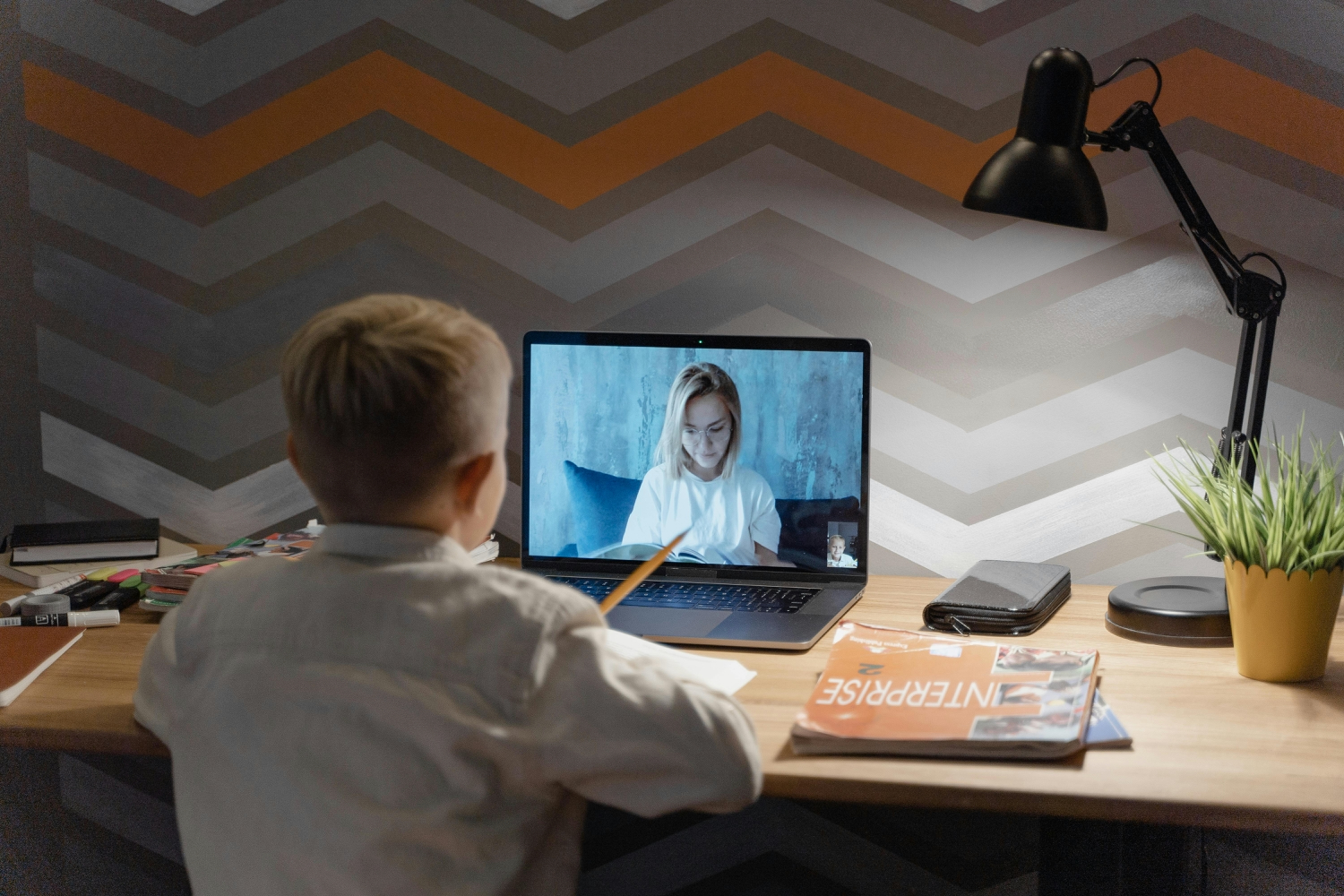


Online tutoring took off during the pandemic. But it stuck around because the technology actually works now.
Australian students can learn from home just as well as in person. The tools have improved that much. Video calls are sharper. Digital whiteboards respond instantly. Progress tracking shows parents exactly where their kids stand. Services like No Nonsense Tutoring use these tools to run sessions that feel personal and get real results.
Video Platforms Built For Teaching
Regular video apps fall short for teaching. Zoom works fine for business meetings. But tutoring needs different features.
Education platforms let tutors share screens without losing face time. Picture-in-picture windows keep both visible. Students see the lesson material and their tutor’s face at once. This matters more than you might think. Body language helps kids understand when they’re on the right track.
Recording features help too. Students rewatch confusing parts at their own speed. A Year 9 student struggling with quadratic equations can pause and replay. They control the learning pace. Audio quality makes a real difference in English tutoring. Clear sound helps students catch pronunciation details they’d miss otherwise.
Some platforms support multiple camera angles. A maths tutor shows their face in one window. They write out problems by hand in another. This setup copies the experience of sitting side by side at a desk.
Digital Whiteboards Change Everything
Interactive whiteboards became standard for online sessions. Both tutor and student write on the same virtual space. Changes show up instantly for both people.
Real-Time Problem Solving
Students work through problems while tutors watch. A Year 8 student tackles algebra step by step. The tutor spots mistakes as they happen. They circle the error without erasing the student’s work. This creates a visual record that paper can’t match.
The boards save automatically. Students download their notes after each session. Every tutoring hour becomes study material. Kids review these notes before tests. Parents can see what happened in each lesson, too.
Visual Learning That Sticks
Science tutors build diagrams together with students. Learning about cells works better when you drag organelles around yourself. Students label parts while tutors guide them. The hands-on approach helps concepts stick. Research shows interactive learning improves retention compared to passive listening.
Colors and shapes make abstract ideas concrete. Chemistry students draw molecular structures. Physics students map force vectors. Biology students chart food webs. Each subject benefits from visual tools.
Tracking Progress Over Time
Learning management systems changed how tutors monitor growth. These platforms collect data from every session. They turn raw information into readable formats.
Tutors log topics covered each week. They note how long each concept took. They mark where students struggled or excelled. Parents view dashboards showing progress graphs. Patterns emerge over weeks and months.
The systems handle scheduling automatically. They manage assignments between sessions. They store resources that students can access anytime. This creates continuity beyond the weekly hour. Students get practice problems matched to their last lesson. Tutors upload video explanations or practice tests. Learning extends into the gaps between meetings.
Some platforms map lessons to curriculum standards. Parents see which Year 7 Maths skills their child mastered. They see which needs more work. This transparency helps families decide where to focus time. No guessing about what comes next.
What Parents Actually See
Dashboards display information clearly:
- Topics covered in recent sessions
- Time spent on each concept
- Areas where the student excels
- Skills that need more practice
- Upcoming curriculum requirements
This beats vague updates like “doing well” or “needs improvement.” Specific data helps everyone stay on track.
Adaptive Tools That Adjust Automatically
AI powers tools that match difficulty to performance. Answer correctly, and harder problems appear. Struggle with a concept, and simpler examples show up. The software adjusts in real time.
These tools support human tutors rather than replace them. A tutor assigns adaptive modules for homework. They review results before the next session. The software flags exactly which problem types caused trouble. Tutors prepare targeted explanations based on this data.
Some systems spot common misconceptions. A Year 10 Science student mixes up exothermic and endothermic reactions repeatedly. The system notices this pattern. The tutor gets a heads-up before the session starts. They address the confusion directly instead of moving forward.
Speech recognition helps with English skills. Students read passages aloud. Software analyzes its delivery. It highlights mispronounced words or rushed sections. Tutors focus speaking practice on actual problem areas. No time wasted on skills already mastered.
Screen Sharing For Practical Skills
Sharing screens lets tutors and students work inside real applications. This matters for subjects involving digital tools.
A student drafts an essay in Word while their tutor watches. The tutor sees the writing process unfold. They offer suggestions about structure as the student types. This immediate feedback prevents bad habits from forming. Students learn editing skills alongside writing skills.
Maths students share screens showing graphing calculators. They manipulate variables while explaining their thinking. Tutors see the entire problem-solving approach. Not just the final answer. This visibility shows where thinking goes wrong.
Teaching Research Methods
Screen sharing teaches practical research, too. Tutors demonstrate how to evaluate sources. They show students how library databases work. They model how to organize research notes. These skills prepare students for university work.
Students watch tutors navigate websites critically. They learn to spot credible versus questionable sources. They see how to take effective notes. They practice these skills while tutors guide them. Theory becomes practice in real time.
Photo by Marcus Aurelius
Combining Tools For Better Results
The best online tutoring mixes multiple technologies. Video provides a human connection. Whiteboards enable active problem-solving. Tracking systems prevent anything from slipping through cracks.
Geography no longer limits options. A student in Cairns works with a Brisbane specialist. A regional Victorian student connects with a Sydney tutor. Families find tutors matching specific needs. No settling for whoever lives nearby.
Technology has removed old barriers to quality education. The tools work because they support the tutor-student relationship. They don’t try to automate teaching away. Students learn better when tech enhances rather than replaces human interaction.
Australian families now have access to better educational support than ever before. Distance doesn’t matter anymore. Subject expertise matters. Teaching style matters. Student needs matter. Technology made all this possible without sacrificing the personal touch that makes tutoring work.
